Managers rarely lose an hour at a time. Time gets consumed in 10-minute tasks: checking meeting notes, chasing updates, replying to routine emails, updating CRM records, and preparing the same reports every week.
That adds up. A manager with five hours of recurring admin work each week loses more than 250 hours a year to coordination alone.
AI Co-workers can take over parts of this workload through AI meeting assistants, task automation, and workflow automation. The value comes from connecting these tasks. A meeting can produce notes, create tasks, update a CRM, trigger a follow-up, and flag an unresolved issue without someone moving information from one system to another.
For managers and CXOs, the real question is simple: Which recurring work should still require your team’s time?
10 Ways AI Co-workers Save Managers Hours Every Week
The biggest time drains rarely come from one large task. They come from work that repeats across meetings, email, reporting, project updates, follow-ups, and internal coordination. An AI co-workers can take over these recurring workflows and connect the steps that teams usually handle by hand.
The examples below focus on practical work managers deal with every week. Each one shows AI productivity stack for professionals.
1. Cut Meeting Admin After Every Call
Potential time saved: 2–3 hours/week
Meetings generate work once the call is over. Someone has to take notes, document decisions, assign action items, maintain project records, and send out follow-ups. An AI meeting assistant removes that workflow right out of the conversation.
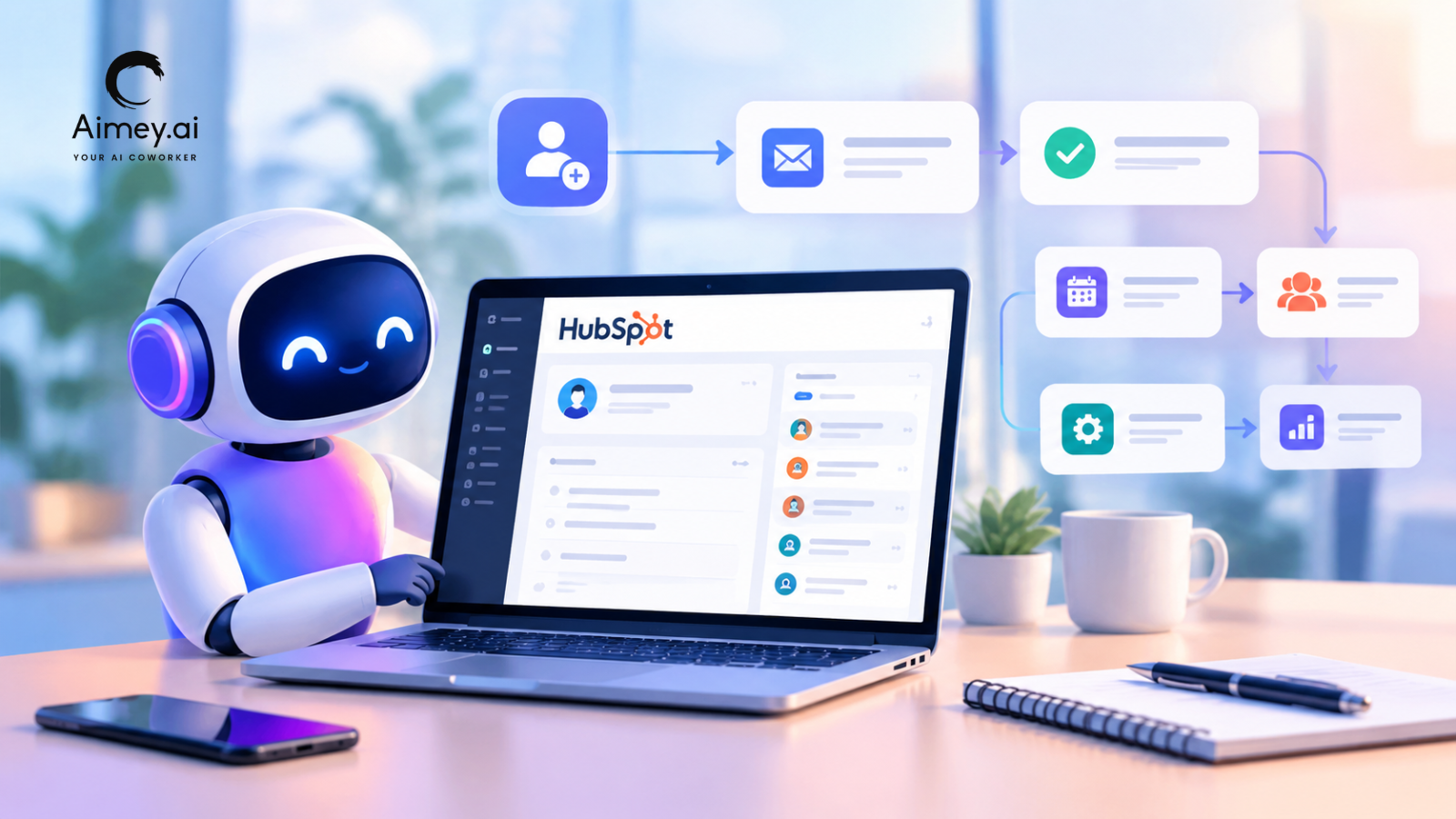
It transcribes the meeting, captures decisions and action items, assigns owners, and drafts follow-up communication. You can also deploy connected workflows to Jira, Salesforce, HubSpot, Asana, or Microsoft Planner.
Example: A weekly project review closes with six action items. The AI develops the tasks, assigns owners, records deadlines and prepares the recap – instead of a project manager taking 30 minutes to document them.
Manager tip: Focus on regular meetings that create the same administrative work week after week. Record the time before and after automation.
2. Stop Spending the First Hour on Email Triage
Potential time saved: 1–2 hours/week
Managers rarely need to read every email that reaches their inbox. The real work sits in finding the messages that need a decision, reply, approval, or follow-up.
AI is able to summarize long threads, identify requests, prioritize urgent messages, and draft routine responses. It can also detect conversations that need replies after a certain amount of time.
Example: A manager returns from a client meeting to 60 new emails. The AI sorts them into approvals, customer requests, internal decisions and low-priority messages, then drafts a reply to the items needing action.
Manager tip: Keep human approval on sensitive emails. Automate triage and drafting first.
3. Turn Weekly Status Chasing Into One Briefing
Potential time saved: 1–2 hours/week
Weekly status reviews generally begin with the same problem: managers need information from numerous teams before they can see what needs improvement. That includes chasing owners, examining project tools and piecing together the latest status.
Workflow automation can bring in updates from project trackers, meeting notes, CRM activity, and team communication channels. The AI is able to then generate a single briefing that includes progress, blockers, overdue work, and dependencies.
Example: The AI pulls project updates from Jira and Smart Sheet, reads the latest Teams chats, and identifies three projects that are overdue and have outstanding dependencies before a Monday portfolio review.
Manager tip: Set your metrics and exception thresholds one time. The briefing should bring to the surface what needs intervention, not regurgitate every project update.
4. Prepare for Meetings Without the Research Sprint
Potential time saved: 30–60 minutes/week
Preparing for meetings frequently includes searching through old emails, CRM records, project updates, and notes from past meetings. An AI co-workers can pull such context into a single briefing before the meeting begins.
It can surface recent contacts, open commitments, unresolved issues, account risks, and previous decisions for the consumer to review. It can pull in milestones, blockers, dependencies, and pending actions for a project review.
Example: Before a renewal meeting, the AI gathers together the customer’s recent emails, meeting notes, open support issues, renewal status and outstanding commitments into an account brief.
Manager tip: Get the context relevant to the decision, not the full history. The briefing should tell you what’s changed, what needs attention, and what needs a decision.
5. Keep Action Items Moving After the Meeting
Potential time saved: 1–2 hours/week
Action items can get buried in meeting notes, email threads, and task trackers. The AI co-workers can transform decisions into tasks, reminders, deadlines, and highlight unfulfilled commitments.
The manager does not have to maintain a separate follow-up list. The workflow feeds each commitment into the system where the job has to be done.
Example: A leadership meeting creates tasks for Finance, Sales, and Product. The AI will capture the due date, assign the correct owner to each activity, send the appropriate follow-up and flag any lateness for the next review.
Manager tip: Apply escalation rules to overdue actions. What managers need are exceptions that require involvement, not every usual reminder.
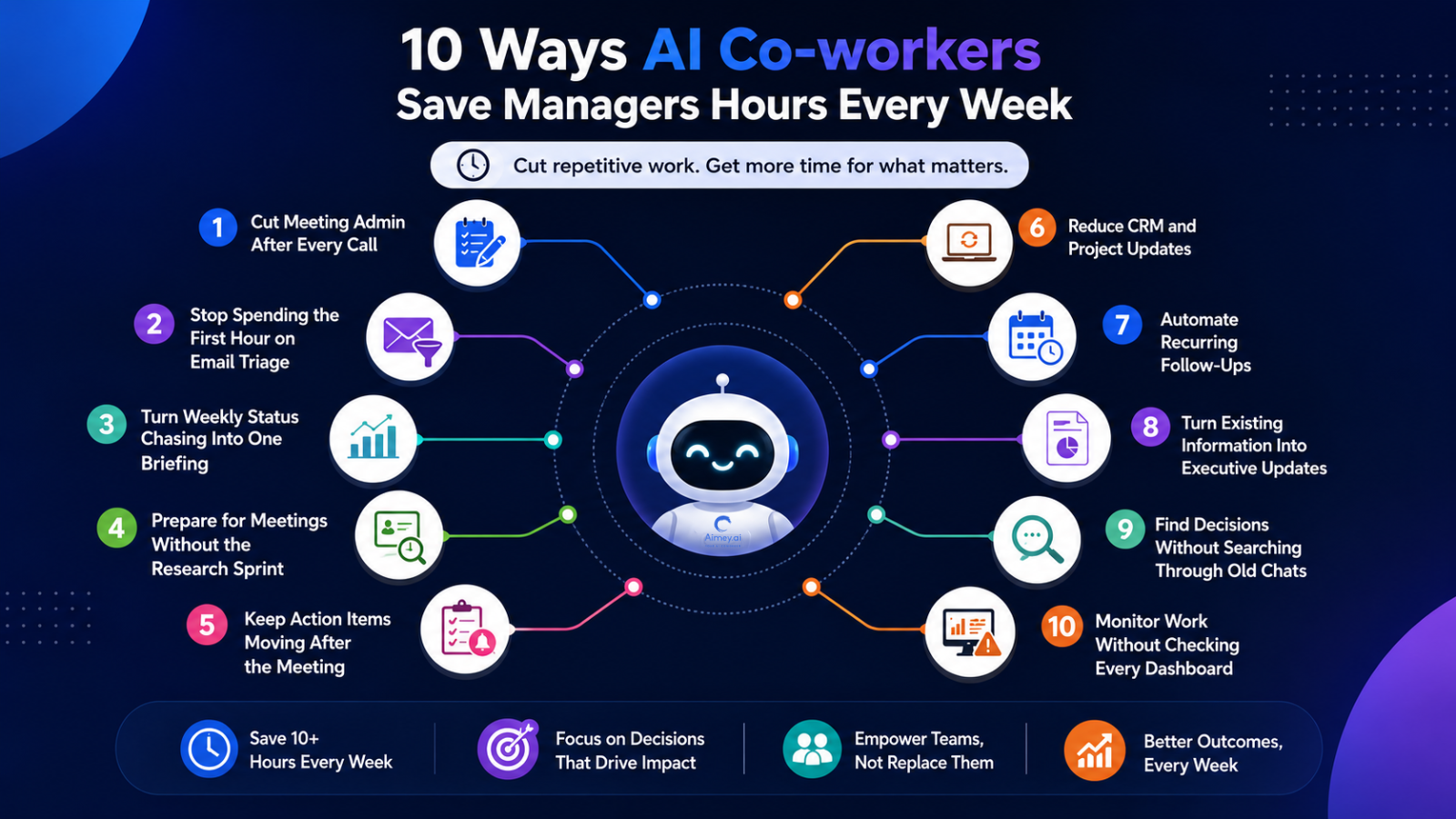
6. Reduce CRM and Project Updates
Potential time saved: 1–2 hours/week
Managers are finding themselves requesting teams to put the same information in a number of places. You have a meeting, a customer provides an update or a project change, and someone has to go back and update Salesforce, HubSpot, Jira, Asana, Smart Sheet, or Planner. It’s tiny admin work, but it can mount quickly.
Much of this can be taken care of by an AI co-worker. If the process allows, it can take useful details from a chat and put them in the right records. Teams spend less time moving data from one system to another, and managers have better data when they need to evaluate accounts, projects, or forecasts.
Example: Have a sales call. The AI may add the customer’s needs to the opportunity, capture the next step, generate a follow-up assignment, and indicate a pricing concern for the account manager.
Manager tip: Start with the changes your team adds all the time: future steps, owners, status, and customer requirements. If it’s anything sensitive, maintain an approval process in place before the AI does the adjustment.
7. Automate Recurring Follow-Ups
Potential time saved: 30–60 minutes/week
Follow-ups based on recollection become a management burden. An AI co-workers can chase up on commitments made in meetings and in emails, set reminders in advance, and highlight things that are still open.
This is good for customer commitments, internal approvals, project dependencies, renewal activities, and other activities with a hard deadline.
Example: The customer commits to providing technical requirements by the end of the week. The AI logs the commitment, looks for the response, creates a reminder if Friday comes and goes and notifies the account manager if the request is still open.
Manager tip: Define explicit escalation rules. Routine reminders can stay automatic while overdue or high-value obligations get through to the manager.
8. Turn Existing Information Into Executive Updates
Potential time saved: 1 hour/week
And every week, the same laborious work often needs to be done for leadership reports. Managers gather project updates, client activity, sales data, meeting notes, and operational metrics before they can prepare a useful briefing.
AI-assisted reporting can piece the information together and generate a first draft around the metrics and decisions that matter. The manager goes over the figures, provides context, and directs the discussion to exceptions.
Example: Before a monthly leadership review, the AI pulls pipeline changes, project risks, customer escalations and delivery metrics into one executive brief, with outstanding decisions indicated for discussion.
Manager tip: Set a consistent reporting format for the AI, and specify the KPIs that are important to your leadership team. More meaningful reports come from consistent inputs.
9. Find Decisions Without Searching Through Old Conversations
Potential time saved: 30–60 minutes/week
Managers often spend too much time looking for information that already exists. A pricing decision may sit in an email thread, a project dependency in Teams, and a customer commitment in a meeting recording.
An AI co-workers can search across connected conversations and business records to retrieve the context behind a decision. That gives managers the answer without another round of internal detective work.
Example: A project lead asks why a delivery date changed. The AI pulls the relevant client meeting, internal discussion, approved dependency, and follow-up decision into one response.
Manager tip: Use AI search for decisions, commitments, customer context, and project history. These are the areas where scattered information creates the most repeat work.
10. Monitor Work Without Checking Every Dashboard
Potential time saved: 1 hour/week
A manager shouldn’t need to look at five dashboards to know what has to be done. An AI co-workers can keep an eye on overdue assignments, stuck projects, missed approvals, inactive deals, unresolved dependencies, and SLA threats across linked systems.
Instead of another status report, surface the exceptions that need management attention and why.
Example: Ahead of a weekly ops review, the AI flags three projects with missed milestones, a customer escalation outside its SLA, and two approvals blocking delivery. Each alert has the owner, current update, and next action.
Manager tip: Automate monitoring and set exception thresholds early. This is not another alert stream; rather, the goal is a targeted alert queue.
How Much Time Can an AI co-workers Actually Save?
The savings depend on the work your managers handle each week. A team that spends 30 minutes after every meeting on notes and follow-ups has a clear automation opportunity. The same applies to weekly reporting, CRM updates, email triage, and status collection.
Look at the hours spent on recurring work, then measure what automation removes. For project managers, the useful metric is capacity returned to higher-value work, such as decision-making, customer relationships, planning, and team leadership.
A practical baseline can include meeting admin, email processing, reporting, follow-ups, and system updates. Track those hours for a few weeks before automation, then compare them with the same workflows after implementation.
Where Should Managers Start?
Don’t automate the easiest task. Start with work that occurs frequently, has a well-defined procedure, and gets data from several systems.
Begin With High-Frequency Work
Weekly meetings, email triage, status updates, follow-ups. Small time reductions throughout various workflows might add up to hours of time per manager.
Search for Cross-System Work
Tasks that need Salesforce, Outlook, Teams, Jira or project trackers generally create the most admin. These procedures force workers to copy information from system to system.
Prioritize work with clearly defined rules
AI is good at things when you can define the inputs, outputs, owners, and escalation rules. Routine reporting and follow-up routines are effective places to start.
Measure the Baseline
See how much time managers spend on the workflow now. Post-automation, look at hours saved, error rates, completion rates, and time freed up for higher value work.
The optimal first workflow is typically high frequency, low judgment, multiple handoffs, and a measurable consequence.
How Aimey Helps Managers Reclaim Time
Meetings generate work well beyond the conversation’s end. Have to write notes, assign action items, send follow-ups, and update project tools.
Aimey ties those steps together. Its AI Meeting Assistant captures meetings, AI Meeting Transcription records the discourse, and AI Meeting Notes converts it into structured choices, action items and ownership.
From there, AI Project Management can convert conversations to tasks and update applications like Jira, HubSpot, and Microsoft Planner. AI Workflow Automation takes care of follow-ups and updates across tools, so managers don’t have to manually push the job forward.
This helps create a connected process from conversation to execution, with less time spent on meeting administration, follow-ups, and regular coordination.
Want to see how much time Aimey can save for your team? View Aimey.ai pricing and select the best plan for your organization.
Frequently Asked Questions
1. How can an AI meeting assistant save managers’ time?
A meeting assistant can handle the busy work of meetings. It can transcribe the debate, take notes and decisions, extract action points, and follow up. This way, a manager doesn’t have to replay a recording, sift through notes, or reestablish tasks after each meeting.
2. What are some examples of real-world AI task automation for managers?
Think about those tasks you do every week. AI is able to update the CRM, track project activities, send follow-up emails, generate status reports, collect meeting briefs, and remind people about approvals. These are good candidates for automation because they have a set process and don’t require much human judgment.
3. Can AI help with email summaries and follow-ups?
Yes. Artificial intelligence can help to break up long email chains and highlight what genuinely needs a response. It can notice requests, write responses, follow up when somebody hasn’t responded, and remind you of an action that’s still outstanding. That can be a real time-saver for a boss with a busy inbox.
4. How can artificial intelligence aid managers with their weekly reporting?
AI is able to take in information from technologies they’re currently using, rather than calling three distinct teams for updates. It may pull together project updates, CRM data, meeting discussions, risks, and blockages into one report. The manager can see the overall picture without having to spend half a day collecting it.
5. Can AI Co-workers update CRM and project management tools?
If they have the necessary permissions and integrations, they can. An AI co-workers can collect information from a meeting or discussion and update applications like Salesforce, HubSpot, Jira, Asana, Smart Sheet or Microsoft Planner. So, if someone agrees to undertake a task during a meeting, the AI may create the work in the project tool, instead of leaving him to do it later.
6. How can managers quantify the ROI of AI-based workflow automation?
Start with the time you’re already spending. If it takes 4 hours to produce a weekly report today, observe how long it takes once it is automated. Then look past the time saved. Are there fewer errors? Are follow-ups happening more quickly? Are managers spending less time chasing updates and more time making decisions? And that’s when automation begins to add real value.
7. What should managers automate first?
Don’t go with the most complicated process first. Start with the work that is done often and needs no judgment. Good examples are meeting notes, follow-ups, CRM updates, weekly reports, and gathering status updates. If a task is also to move certain information between two or three tools, then it is a stronger candidate.