Agentic AI in Logistics: How AI Agents Are Transforming the Industry

Logistics providers already employ AI for forecasting, route planning, demand analysis, and warehouse management. The next phase is agentic AI in logistics, where AI is able to assess an operational problem, decide what has to be done, and act across connected systems. The impact on the cost can be large. McKinsey estimates that some logistics companies adopting autonomous routing and scheduling have experienced more than a 20% decrease in inventory and logistics expenses. The chance is not only route optimization. An AI agent can track a cargo, examine carrier status, check an SLA, update the TMS (Task Management System), generate a customer response, and escalate the issue when it crosses an approved threshold. The real-world challenge for logistics leaders is: what operational routines can an AI agent take from discovery to resolution? What Is Agentic AI in Logistics? Agentic AI is an AI that can understand context, figure out what needs to happen next and execute multi-step activities with little to no human participation. In logistics it’s more than just flagging a late shipment. An AI agent can monitor the cargo status, look at the delivery window, examine the choices available, update the system accordingly, contact the customer and escalate the issue if it falls outside of set business requirements. The key difference is what each kind of technology is capable of. Predictive AI: Predicts demand, ETAs, capacity, etc. Generative AI: Summarizes, emails, reports, and more. Traditional automation: Rules-based, such as “If shipment status changes, send alert.” Agentic AI: It looks at the context, business rules and data available and then orchestrates a series of activities based on this. For example: Truck is 4 hours late. A typical system would only say the revised ETA. The agent can check client delivery window, view downstream appointments, check available capacity, update TMS, alert account team, and write a new delivery message. How Is Agentic AI Changing Logistics? Agentic AI is changing logistics in the space between planned and real-world exceptions. Instead of raising an alarm and waiting for an operator, an AI agent may evaluate the problem, assess connected systems, and take the following steps within established rules. Exception Alerts to Exception Handling Late delivery could prompt a variety of manual checks. An AI agent can look into the reason, delivery window, carrier status and available solutions and then route the issue or take an approved action. Example: Late shipment to ETA. Agent checks client SLA, updates TMS, notifies account team and creates new delivery update. From Fixed Plans to Decisions in Real Time Dispatch plans may change with traffic, demand, vehicle availability, weather, or warehouse constraints. Instead of following the initial schedule, agentic artificial intelligence may use these signals to re-evaluate the strategy. Example: A vehicle is not accessible before dispatch. The agent checks for nearby capacity, delivery windows and route constraints and suggests an alternative or escalates the decision where clearance is needed. From Manual to Connected Execution A single shipment can comprise TMS, WMS, ERP, carrier portal, CRM, email, and collaboration tools. AI agents can move information between various systems and initiate the subsequent step without re-inputting data. Example: Load rejected by a carrier. The agent records the rejection, verifies the approved carriers, notifies the transport team, updates the shipment workflow, and generates the needed message. What Logistics Tasks Can AI Agents Automate? AI agents are most useful in logistics when there’s a lot to keep track of, choices need to be made often, and several teams need to stay aligned. These can be particularly handy when one activity leads to another, and the agent is able to maintain the whole thing. 1. Monitoring Shipments and Exceptions Agents can watch shipments, detect delays, assess SLA issues, and communicate exceptions to the right team. If the next stage has already been approved, they can also begin the rehabilitation process. 2. Routing and Dispatch Agents can see what cars are available, delivery windows and routing constraints, and also consider last-minute changes. They can suggest changes to the dispatch plan or make the changes themselves, if they have the proper permissions. 3. Carrier Management Agents can monitor tender replies, carrier commitments, available capacity, and missed pickups. If a carrier turns down a cargo, they may explore acceptable options and note any variations from the agreed pricing or service aspects. 4. Order & delivery coordination Usually an order will need numerous teams, from the warehouse to the transit to the customer care. Agents keep everyone in the loop with updates, highlight fulfillment concerns, coordinate adjustments, and ensure customer-facing teams have visibility into what’s going on. 5. Inventory Control & Replenishment Agents have visibility of inventory, demand, supplier lead times and other constraints. When stock is getting low, they can flag it and start the replenishing process before it becomes a delivery issue. 6. Documentation & Compliance Logistics teams are full of documentation. Agents can pull information from bills of lading, invoices, proof of delivery and customs paperwork. They can discover missing information and forward it to the right person to examine. 7. Customer Communications Agents can bring together shipment and account information to create ETA updates, delay notifications, delivery confirmations, and responses to customer escalations. The team can evaluate and submit the message rather than creating it from the scratch. 8. Follow-ups on Operations and Meetings Important choices often get lost in carrier evaluations, warehouse meetings, customer calls, and operations discussions. An AI meeting assistant can make those decisions, transform them into tasks, assign owners, and manage what needs to happen next, all within the tools the team already uses. Where Agentic AI Can Reduce Logistics Costs Logistics teams might start by defining cost centers where data is already available, and the workflow is based on clear operational guidelines. Each use-case below can be mapped to a single agent workflow. 1. Empty Miles and Under-utilized Fleet Connect TMS to fleet, load and dispatch data. Set restrictions on capacity, service windows, route limits, and acceptable repositioning costs. The AI agent can detect idle
Aimey vs Glean: Which AI Tool Is Right for Your Team?
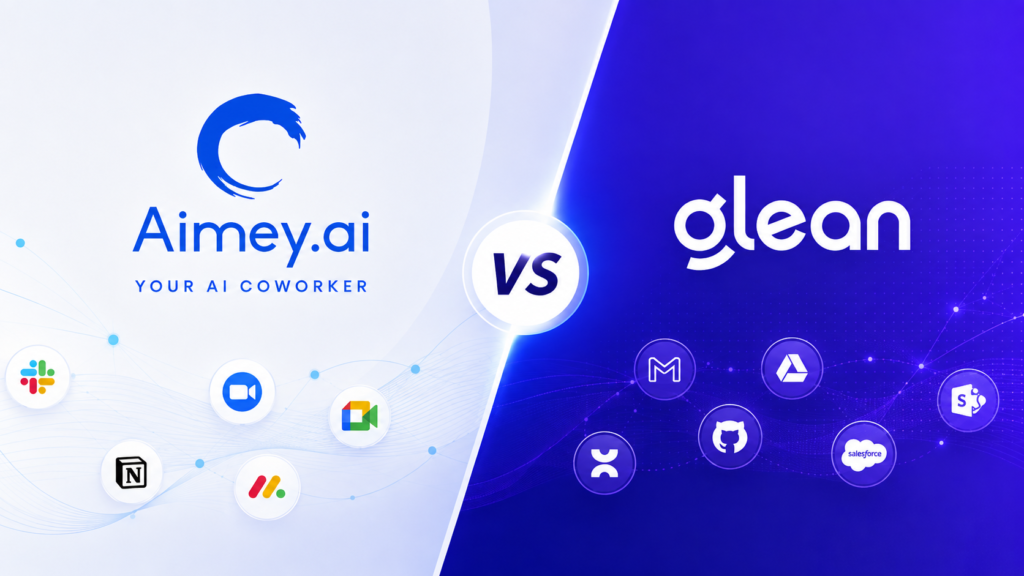
As businesses adopt AI across everyday workflows, the question is no longer whether teams should use AI. The bigger question is which AI solution can actually help employees get more work done? Two platforms worth comparing are Aimey.ai and Glean. At first glance, they may appear similar. Both bring AI into the workplace, connect with business applications, understand organizational context, and help employees work more efficiently. But their core approaches are different. If you’re searching for Aimey.ai vs Glean, evaluating a Glean alternative, or looking for an AI coworker for your team, this guide breaks down the key differences. Aimey vs Glean: Quick Comparison Aspect Aimey Glean Core focus AI co-worker for business execution Enterprise AI for knowledge and work Meeting intelligence Meetings, notes, decisions, action items Meeting context and enterprise knowledge Project management Tasks, blockers, risks, decisions AI-assisted work execution Workflow automation Follow-ups, tasks, cross-tool workflows Actions and multi-step workflows Enterprise search Meetings, projects, tasks, workflows Enterprise-wide search AI assistant Operational and coordination work Search, creation, analysis, execution Research & analysis Operational and project context Enterprise + web research Content creation Business-context-driven outputs Enterprise-context-driven content AI agents Specialized business agents Agent builder and orchestration Integrations 100+ 275+ Security & governance SOC 2, HIPAA, GDPR, RBAC, MFA Enterprise security and governance Best fit Execution-focused teams Knowledge-intensive enterprises Features and capabilities may change over time. Review each platform’s current documentation before making a purchasing decision. What Is Aimey.ai? Aimey.ai is an agentic AI coworker designed to help teams manage the work that happens before, during, and after meetings. Instead of simply answering questions or generating summaries, Aimey is designed to help with the next step: taking action. It captures decisions and action items from business conversations, tracks follow-ups, and can take action across connected tools. The starting point: Conversation → context → action What Is Glean? Glean is an enterprise AI platform focused on helping organizations search, understand, and use information across their workplace applications. Glean combines enterprise search, AI assistance, research, content creation, and AI agents. It connects information across workplace applications and uses that context to help employees find information, complete tasks, and build AI-powered workflows. The starting point: Enterprise knowledge → AI assistance → action Aimey vs Glean: Meeting Intelligence Meetings lead to decisions, action items, and follow-ups. The big question is how each platform will use that knowledge and bring it into business activities. Aimey.ai Aimey’s meeting intelligence captures transcription, notes, choices and action items across Zoom, Google Meet, and Microsoft Teams. It may take meeting outcomes and feed them into project and task workflows. Glean Glean surfaces meeting information into its enterprise knowledge layer where employees can locate it alongside documents, discussions and data from connected apps. Key difference: Aimey ties meetings directly to follow-up activity, while Glean ties meeting context into a larger system of company information. Aimey vs Glean: Project Management & Execution of Work Once meetings create tasks, teams need to track owners, deadlines, blockers, and progress. The two platforms approach this stage differently. Aimey.ai Aimey’s AI Project Management connects meeting outcomes with project execution. It tracks action items, monitors progress, flags blockers and delays, maintains decision logs, and surfaces project risks. Glean Glean approaches work execution through its AI Assistant and connected applications. Employees can use enterprise context to find information, complete tasks, and take actions across their existing tools. Key difference: Aimey keeps project context and follow-through at the center, while Glean brings enterprise knowledge into day-to-day work execution. Aimey vs Glean: Workflow Automation Workflow automation manages the repetitive labor that flows between people, processes, and business technologies. Aimey.ai Aimey’s AI Workflow Automation automates notifications, reminders, task creation, follow-ups and cross-tool updates. It can also convert meeting outcomes into automated workflows, so teams can go from decisions to action with less manual collaboration. Glean Glean leverages Actions and AI agents to run multi-step processes across connected applications. Its processes may pull information, update data, send messages, and coordinate actions across systems. Key difference: Aimey is focused on automating regular coordination and follow-through, while Glean offers larger multi-step workflows across corporate apps. Aimey vs Glean: Research and Analysis The distinction becomes clearer when you look at the source material each platform can bring into an analysis. Aimey.ai Aimey can analyze the operational record around a project or business process. Its context can include meeting transcripts, decisions, action items, project activity, emails, and connected work systems. That makes it useful for questions such as: What is holding up this project? What did we decide in the last review? Which commitments remain open? Who owns the delayed actions? Glean Glean can combine enterprise information with web research. Its Deep Research capability can investigate a question across multiple sources and produce a structured report with citations. Key difference: Aimey is well suited to analysis of what is happening inside ongoing business work. Glean is built for research that draws together information from across the enterprise and the web. Aimey vs Glean Pricing Pricing Aspect Aimey Glean Starting price $19.99/user/month $95/user/month AI features Included ~$15/user/month add-on AI-enabled cost $19.99–$39.99/user/month ~$65/user/month Plans Pro, Premium Monthly, Premium Annual Enterprise Minimum seats 5 on Premium Enterprise-dependent Pricing model Public per-user pricing Custom enterprise pricing Aimey vs Glean: Which Should You Choose? Which is better depends on where you want AI to make the biggest difference. Choose Aimey.ai if you want AI to own execution. Aimey is designed for teams that need to connect meetings, projects, tasks and follow-ups. It turns decisions into tracked work, reminders, updates, and action. Choose Glean if you want AI that works enterprise wide. Glean is designed for organizations that need AI for enterprise search, research, content creation, knowledge work, and agentic workflows across connected applications. In Conclusion Aimey and Glean approach enterprise AI differently. Aimey is all about execution, such as listening to business conversations, keeping projects moving, automating follow-ups, and connecting decisions to action. Glean is focused on enterprise knowledge: connecting information across the organization and extending it into search, research, content, and agentic
AI Safety Best Practices for Managers in the Workplace

AI can help managers reduce repetitive work, organize information, prepare for meetings, and keep teams moving. But using AI effectively at work is not just about knowing the right prompts or tools. Managers also need to understand how to use AI safely, what information should and shouldn’t be shared, and where human judgment remains essential. In Part 1 of this guide, How to Use AI at Work (Manager Guide): 14 Prompts + Safety Tips, we covered practical ways managers can use AI to handle everyday tasks, from summarizing meetings and preparing stakeholder updates to creating project plans and identifying risks. Now, in Part 2, we’ll focus on the other side of AI adoption: using AI responsibly and safely at work. We’ll cover practical AI safety tips for managers, where AI meeting assistants and transcription tools fit into workplace workflows, and how managers can evaluate AI tools for their teams. The goal isn’t to avoid AI – it’s to use it with the right guardrails, oversight, and understanding. AI Safety Tips for Managers There are a few ground principles that are worth keeping in mind. 1. Don’t Share Confidential Information Customer data, personnel files, financial information, and confidential corporate discussions should not be put into public AI tools. varying platforms have varying rules around data, so it’s important to understand what protections are in place before you share anything important. 2. Check Facts Before You Use Them Sometimes AI makes errors, and it doesn’t always make its mistakes obvious. Before you include figures, dates, sources and calculations into a report or presentation, take a minute to check them. 3. Provide Clear Direction to Teams People need to understand where AI can help, and when human assessment is needed. A few simple principles can go a long way to keeping everyone on the same page. 4. Remember That AI Doesn’t Replace Judgment AI can help with research, planning and analysis, but the subsequent decisions are still for people to make. Hiring, performance reviews, compensation, legal, and customer promises require human judgment. 5. Tools Built for Business Business-grade AI platforms generally have more rigorous controls over privacy and access. Managers need to understand the underlying principles of how their company’s AI systems store and process information. 6. Look for Bias and Missing Context AI is built on patterns. It doesn’t have experience or background, and occasionally it misses the nuances that people get. The product is not to be taken at face value but rather something to be reviewed and discussed. Artificial intelligence can be useful if used responsibly. But problems can occur if teams blindly rely on it. At the end of the day good habits and clear expectations make all the difference. Common AI Mistakes Managers Should Avoid in the Workplace Many teams fail at AI because they expect too much of it or use it without clear guardrails. Here are some manager blunders to avoid. 1. Expecting AI to Substitute Expertise AI can summarize, organize, and recommend. It can’t replace experience, context, or accountability. Managers still have to make decisions and own the outcomes. 2. Using Vague Prompts Prompts like “summarize this” or “help me with this project” usually result in substandard outcomes. AI works better if it knows who it is talking to and what it is trying to do, and what form it is supposed to take. 3. Accepting Every Answer AI can confidently make inaccurate statements. Please treat the outputs as suggestions and recommendations and not facts. 4. Too Many AI Workflows Being Built Teams sometimes pick several tools without a clear reason. This adds more complexity, not less. Begin with a handful of high-value workflows and build from there. 5. Governance and Security Ignored Productivity, not privacy, should be a concern. Managers need to know what information may be shared with AI tools and what information cannot. 6. Success Through Use The point isn’t to use AI as much as you can. The idea is to eliminate friction, improve execution, and free up time for tasks that require human judgment. The teams that receive the most benefit from AI focus on outcomes, not novelty. Where AI Meeting Assistants and AI Transcription Fit In Notes get left behind, essential action items are missed, and teams waste time trying to piece together conversations after the fact. This is where AI Meeting Assistants and AI Transcription come in. 1. Minutes of Meeting AI meeting assistants can record the conversation and produce clear summaries that are easy to publish. If a team member misses a meeting, they don’t need to watch the entire tape to catch up. 2. Action Items & Follow-Ups Commitments are often made at the end of meetings, but the obligations may become vague. AI brings tasks to the surface, assigns owners and makes the next actions evident long after the conversation has ended. 3. Searchable Records AI transcription provides a reliable record of every conversation. Teams can revisit decisions, look up specifics, and discover information without needing to remember. 4. Sharing Knowledge There’s a lot of good contexts in meetings. Summaries and transcripts make such knowledge available to others who weren’t in the room and help keep it over time. 5. Cross-team Alignment Sales, operations, engineering, and customer success teams typically use the same information. Shared meeting minutes provide a single source of truth for everyone, not notes and updates dispersed across several systems. Meeting assistants doesn’t replace talks. They enable teams to collect, share, and act more effectively. For managers, that means more time on the admin job and fewer details sliding through a void. How Aimey.ai Helps Managers Use AI at Work Managers don’t need another management tool. They have less noise to distract them from important work. Aimey.ai works with your team to capture conversations, track next steps, and help everyone stay aligned, without extra work. 1. Record All Important Conversations Aimey also joins scheduled meetings automatically and transcribes the discussions in real time so managers can focus on what’s being
How to Manage an AI Co-worker Like a Team Member (Not a Tool)
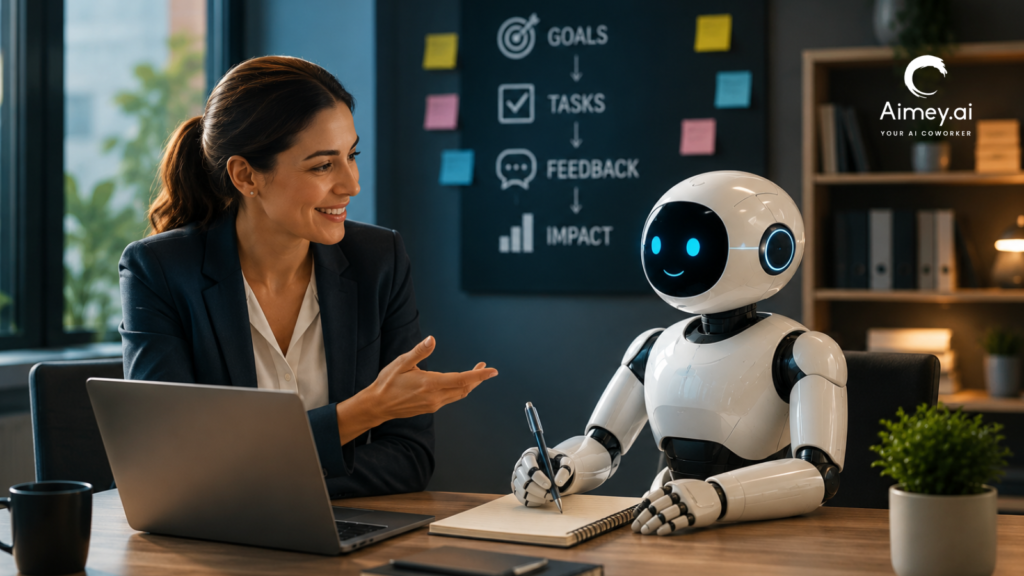
Every new recruit needs ownership, context, and accountability. An AI Co-worker is no different. A joint study conducted by BCG and MIT Sloan Management Review indicated that 76% of executives now perceive Agentic AI more as a coworker than as a tool. In the meanwhile, 35% of firms have begun using Agentic AI, and 44% more expect to do so soon. The conversation has evolved beyond adoption. What leaders need now is an operating model for managing systems that can plan, execute, and coordinate operations across the firm. AI Co-worker doesn’t replace leadership. It still needs ownership, commercial context, governance, and demonstrable outcomes. Those fundamentals will be more valuable when built by companies than by those who regard it as simply another application in the tech stack. This guide outlines how executives may manage an AI Co-worker as part of the operating model and not just another software deployment. What Is an AI Co-worker? An AI Co-worker is an Agentic AI system that understands context, performs multi-step workflows, interacts with business systems, and completes work with little human supervision. AI assistants respond to specific commands. An AI Co-worker carries tasks from start to end, while keeping the greater corporate purpose in view. Think of the difference this way: AI Assistant AI Co-worker Answers questions Completes workflows Waits for prompts Acts on assigned responsibilities Works inside one task Coordinates across meetings, emails, CRMs, and business tools Produces information Produces business outcomes For example, after a customer meeting, AI employees can summarize the discussion. An AI Co-worker can summarize the meeting, update Salesforce, assign follow-up tasks, draft the customer email, notify the account team, and prepare the next meeting briefing. It manages the work around the conversation instead of stopping at the summary. Why an AI Co-worker Needs to Be Managed Like a Team Member Organizations often use AI as a second application. Employees get access, mess around with a few prompts, then return to business as usual. That method seldom yields long-term benefits because an AI teammate doesn’t behave like traditional software. AI Co-worker needs defined tasks, access to the correct business context, and explicit success measures. You wouldn’t tell a new hire to “help with sales”, nor should you tell an AI Co-worker to “handle customer meetings.” You give ownership, set expectations, and measure performance. This is even more important as companies move to Agentic AI. Agentic AI is different from typical automation in that it can perform a series of activities, interact with business systems, and make decisions on workflows within pre-defined boundaries. It produces inconsistency without governance. Ownership and accountability are evident. For leadership teams, the question isn’t Can AI perform the work? The question is: Which work should it own? Where an AI Co-worker Creates the Biggest Business Impact An AI Co-worker generates the strongest return in functions where work crosses teams, systems, and repetitive workflows. The goal is not to automate individual tasks. It is about taking away the operational overhead that slows down execution. 1. Revenue Ops Keep CRM data clean, watch pipeline health, prep account briefings, draft follow-ups, flag deals needing help. Example: The AI Co-worker identifies opportunities with no customer touch in the last 14 days preceding the Monday pipeline review, summarizes past meetings, flags renewal risks, writes re-engagement emails and builds a deal evaluation for sales leadership. 2. Customer Success Log customer meetings, track commitments, track onboarding milestones, identify renewal risks, and build complete account history. Example: Strategic customer flags a product issue in a QBR. The AI Co-worker records every commitment, generates follow-up tasks across Product and Support, monitors the completion and warns the Customer Success Manager if any promise is still open before the renewal conversation. 3. Managing Projects Keep track of project status, action items, dependencies, and stakeholder reports without collecting information from different sources before every review. Example: Before the PMO’s weekly meeting, the AI colleague evaluates the conversation around projects, detects any milestones at risk, diagrams dependencies between projects and summarizes the portfolio, surfacing just those projects that need leadership involvement. 4. Executive Operations Consolidate information from meetings, projects, client accounts, and operational dashboards into one report that prepares leadership briefings and enables faster decision-making. Examples: The AI Co-worker prepares a one-page briefing for the executive committee meeting with the delivery risks, the customer escalations, the hiring dependencies, revenue changes, and unresolved choices, rather than department heads preparing separate updates. 5. IT & Service Operations Supports document calls, ticket updates, SLA obligations, incident summaries, and escalations across the service management systems without administrative intervention. Example: For a Priority 1 event, the AI co-worker automatically develops a live incident timeline, tracks engineering updates, monitors SLA commitments, drafts stakeholder messages, and creates a post-incident report when service is restored. 6. Internal Knowledge Management Turn meetings, project reviews, customer conversations, and operational choices into searchable corporate information. Teams spend less time hunting for information and more time acting on it. Example: Six months after a large implementation, a new delivery manager can quickly review every design choice, customer approval, project risk, and executive discussion, instead of interviewing many team members. Build Workflows Around Your AI Co-worker An AI Co-worker is better at defined protocols, not individual requests. Rather than doing a single action at a time, create a process with a set trigger, a desired result, and an approved path. 1. Business Context Give access to meeting history, customer data, project material, corporate knowledge, and communication channels. The stronger the context, the better the decisions and the less manual correction. 2. Repeatable Process Standardized Recurring processes such as client onboarding, weekly project reviews, pipeline updates, and executive reporting generate the most predictable results because each step is part of a well-defined process. 3. Link the Correct Systems The more your AI teammate can manage the information flowing across CRM platforms, email, calendars, project management tools, and workplace collaboration platforms, the better. It can operate in a comprehensive business context, not just on isolated facts. 4. Definition of Expected Results
How Can AI Co-workers Save Managers 10+ Hours Every Week
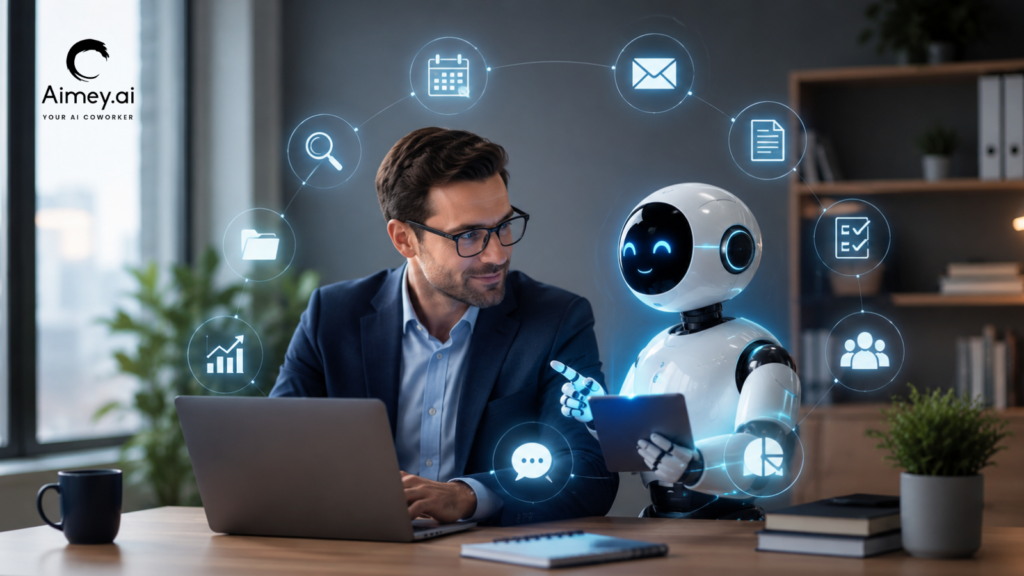
Managers rarely lose an hour at a time. Time gets consumed in 10-minute tasks: checking meeting notes, chasing updates, replying to routine emails, updating CRM records, and preparing the same reports every week. That adds up. A manager with five hours of recurring admin work each week loses more than 250 hours a year to coordination alone. AI Co-workers can take over parts of this workload through AI meeting assistants, task automation, and workflow automation. The value comes from connecting these tasks. A meeting can produce notes, create tasks, update a CRM, trigger a follow-up, and flag an unresolved issue without someone moving information from one system to another. For managers and CXOs, the real question is simple: Which recurring work should still require your team’s time? 10 Ways AI Co-workers Save Managers Hours Every Week The biggest time drains rarely come from one large task. They come from work that repeats across meetings, email, reporting, project updates, follow-ups, and internal coordination. An AI co-workers can take over these recurring workflows and connect the steps that teams usually handle by hand. The examples below focus on practical work managers deal with every week. Each one shows AI productivity stack for professionals. 1. Cut Meeting Admin After Every Call Potential time saved: 2–3 hours/week Meetings generate work once the call is over. Someone has to take notes, document decisions, assign action items, maintain project records, and send out follow-ups. An AI meeting assistant removes that workflow right out of the conversation. It transcribes the meeting, captures decisions and action items, assigns owners, and drafts follow-up communication. You can also deploy connected workflows to Jira, Salesforce, HubSpot, Asana, or Microsoft Planner. Example: A weekly project review closes with six action items. The AI develops the tasks, assigns owners, records deadlines and prepares the recap – instead of a project manager taking 30 minutes to document them. Manager tip: Focus on regular meetings that create the same administrative work week after week. Record the time before and after automation. 2. Stop Spending the First Hour on Email Triage Potential time saved: 1–2 hours/week Managers rarely need to read every email that reaches their inbox. The real work sits in finding the messages that need a decision, reply, approval, or follow-up. AI is able to summarize long threads, identify requests, prioritize urgent messages, and draft routine responses. It can also detect conversations that need replies after a certain amount of time. Example: A manager returns from a client meeting to 60 new emails. The AI sorts them into approvals, customer requests, internal decisions and low-priority messages, then drafts a reply to the items needing action. Manager tip: Keep human approval on sensitive emails. Automate triage and drafting first. 3. Turn Weekly Status Chasing Into One Briefing Potential time saved: 1–2 hours/week Weekly status reviews generally begin with the same problem: managers need information from numerous teams before they can see what needs improvement. That includes chasing owners, examining project tools and piecing together the latest status. Workflow automation can bring in updates from project trackers, meeting notes, CRM activity, and team communication channels. The AI is able to then generate a single briefing that includes progress, blockers, overdue work, and dependencies. Example: The AI pulls project updates from Jira and Smart Sheet, reads the latest Teams chats, and identifies three projects that are overdue and have outstanding dependencies before a Monday portfolio review. Manager tip: Set your metrics and exception thresholds one time. The briefing should bring to the surface what needs intervention, not regurgitate every project update. 4. Prepare for Meetings Without the Research Sprint Potential time saved: 30–60 minutes/week Preparing for meetings frequently includes searching through old emails, CRM records, project updates, and notes from past meetings. An AI co-workers can pull such context into a single briefing before the meeting begins. It can surface recent contacts, open commitments, unresolved issues, account risks, and previous decisions for the consumer to review. It can pull in milestones, blockers, dependencies, and pending actions for a project review. Example: Before a renewal meeting, the AI gathers together the customer’s recent emails, meeting notes, open support issues, renewal status and outstanding commitments into an account brief. Manager tip: Get the context relevant to the decision, not the full history. The briefing should tell you what’s changed, what needs attention, and what needs a decision. 5. Keep Action Items Moving After the Meeting Potential time saved: 1–2 hours/week Action items can get buried in meeting notes, email threads, and task trackers. The AI co-workers can transform decisions into tasks, reminders, deadlines, and highlight unfulfilled commitments. The manager does not have to maintain a separate follow-up list. The workflow feeds each commitment into the system where the job has to be done. Example: A leadership meeting creates tasks for Finance, Sales, and Product. The AI will capture the due date, assign the correct owner to each activity, send the appropriate follow-up and flag any lateness for the next review. Manager tip: Apply escalation rules to overdue actions. What managers need are exceptions that require involvement, not every usual reminder. 6. Reduce CRM and Project Updates Potential time saved: 1–2 hours/week Managers are finding themselves requesting teams to put the same information in a number of places. You have a meeting, a customer provides an update or a project change, and someone has to go back and update Salesforce, HubSpot, Jira, Asana, Smart Sheet, or Planner. It’s tiny admin work, but it can mount quickly. Much of this can be taken care of by an AI co-worker. If the process allows, it can take useful details from a chat and put them in the right records. Teams spend less time moving data from one system to another, and managers have better data when they need to evaluate accounts, projects, or forecasts. Example: Have a sales call. The AI may add the customer’s needs to the opportunity, capture the next step, generate a follow-up assignment, and indicate a pricing
How Can AI Agents Automate Repetitive Work for Managers in 2026?

Managers are spending more time coordinating work than actually leading it. Between meetings, approvals, follow-ups, reporting, scheduling, CRM updates, and communication management, modern management roles are increasingly dominated by operational overhead. In 2026, AI agents are changing that reality. Instead of acting like simple chatbots or isolated automation tools, modern AI agents can monitor workflows, trigger actions proactively, coordinate across business systems, and assist managers with ongoing operational execution. The shift isn’t just about saving time — it’s about creating a more scalable management model where repetitive coordination work is handled continuously by intelligent systems. Across Aimey Development initiatives, many current projects already reflect this transition toward agentic workflow automation, proactive execution planning, task-chasing systems, communication agents, reporting agents, and autonomous operational coordination. Here’s how AI agents are expected to automate repetitive managerial work in 2026. 1. AI Agents Will Manage Task Coordination Automatically One of the largest drains on management productivity is task coordination. Managers constantly assign work, follow up on deadlines, update project systems, monitor blockers, and chase incomplete tasks. AI task agents can now automate much of this process. Current Aimey Development initiatives already include AI-driven task chaser workflows, planning agents, communication agents, workflow execution testing, and cross-platform PM synchronization. Instead of manually checking project boards every day, managers can rely on AI agents to: Monitor deadlines continuously Detect stalled tasks Send reminders automatically Escalate overdue work Generate progress summaries Reassign work dynamically Create tasks from meetings or emails Practical example: After a project meeting, an AI agent automatically generates notes, extracts action items, assigns tasks in Monday.com or Asana, schedules reminders, and sends status updates to stakeholders without manager intervention. Expected productivity gains: reduced administrative workload, faster task completion, better accountability, improved project visibility, and less manual follow-up work. 2. AI Agents Will Handle Email and Communication Overload Email remains one of the biggest productivity bottlenecks for managers. Sorting requests, prioritizing conversations, scheduling responses, and coordinating internal communication consumes hours every week. Aimey Development projects already reference email parsing workflows, communication agents, Outlook integration, Slack workflow development, and voice-to-task systems. In 2026, AI agents can: Prioritize important emails Draft contextual responses Create tasks from conversations Route requests to the correct teams Detect urgency automatically Summarize long email threads Schedule follow-ups proactively Practical example: A client sends a project escalation email. The AI agent identifies the issue, checks project status, drafts a response, creates internal escalation tasks, updates the project dashboard, and alerts the responsible team lead immediately. Managers remain in control, but the coordination effort is significantly reduced. 3. AI Agents Will Automate Scheduling and Calendar Management Scheduling meetings, resolving conflicts, managing cancellations, and coordinating availability are repetitive but essential management tasks. Aimey Development has explored Outlook calendar integration, calendar agents, booking workflows, cancellation handling, and voice-enabled scheduling. Instead of manually coordinating schedules, AI agents can: Find optimal meeting times Resolve scheduling conflicts Coordinate across departments Automatically reschedule canceled meetings Send reminders and preparation notes Generate agendas before meetings Create post-meeting summaries Practical example: A manager requests a quarterly review meeting. The AI agent checks availability across leadership teams, books meeting rooms, distributes agendas, pulls relevant dashboards, and prepares summary reports before the meeting begins. This reduces operational coordination while improving meeting quality. 4. AI Agents Will Streamline Approval Workflows Managers spend significant time reviewing approvals for budgets, documents, workflows, purchases, and operational requests. AI approval agents help automate low-risk decision routing while maintaining human oversight. Several Aimey Development initiatives already focus on approval workflow logic, configurable approval levels, human-in-the-loop execution models, and permission and delegation systems. In practice, AI agents can: Validate requests against company policies Identify missing information Recommend approval decisions Escalate exceptions automatically Route requests based on authority levels Track approval bottlenecks Practical example: An employee submits a purchase request. The AI agent checks budget limits, validates vendor status, reviews approval history, and either auto-approves the request within predefined rules or escalates it to the appropriate manager. Managers only intervene when strategic judgment is required. 5. AI Agents Will Generate Reports Automatically Managers spend large amounts of time collecting data, preparing updates, and generating operational reports. AI reporting agents are making this process increasingly autonomous. Aimey Development workflows already reference reporting agents, dashboard creation, knowledge management automation, and SharePoint/OneNote integrations. Instead of manually collecting information from multiple systems, AI agents can: Pull live operational metrics Generate executive summaries Highlight risks and delays Compare trends automatically Create visual dashboards Deliver scheduled updates proactively Practical example: Every Monday morning, a manager receives an automatically generated report summarizing project status, overdue tasks, revenue changes, customer escalations, and team productivity metrics pulled from multiple business systems. The reporting process becomes continuous instead of manual. 6. AI Agents Will Coordinate Across Multiple Business Platforms Managers often operate across disconnected systems, including CRM platforms, project management tools, email systems, calendars, spreadsheets, and communication platforms. AI agents are increasingly becoming orchestration layers between these tools. Current Aimey Development efforts already involve integrations with HubSpot, Asana, Monday.com, Slack, Outlook, SharePoint, OneNote, and Microsoft Planner. AI agents can synchronize actions across systems automatically. Practical example: A new sales opportunity in HubSpot automatically triggers project planning tasks in Asana, schedules onboarding meetings in Outlook, updates Slack notifications, and generates reporting entries for management dashboards. This removes manual duplication and reduces operational fragmentation. 7. Managers Will Shift From Operators to Supervisors of AI Systems The role of managers is changing. In 2026, managers are less likely to spend time on repetitive coordination and more likely to supervise AI-driven operational systems. Instead of manually executing workflows, managers increasingly: Review AI recommendations Approve exceptions Adjust workflow rules Monitor performance metrics Focus on strategic decisions Manage human relationships and leadership This human-plus-agent model is becoming the dominant approach because fully autonomous systems still require governance, oversight, and escalation controls. Aimey Development initiatives repeatedly emphasize human-in-the-loop approvals, configurable logic, workflow testing, monitoring, and operational transparency — all critical for scalable AI deployment. Key Benefits of AI Agents for Managers in 2026 Reduced repetitive administrative work Faster operational
AI Co-worker vs Virtual Assistant: What’s the Real Difference?
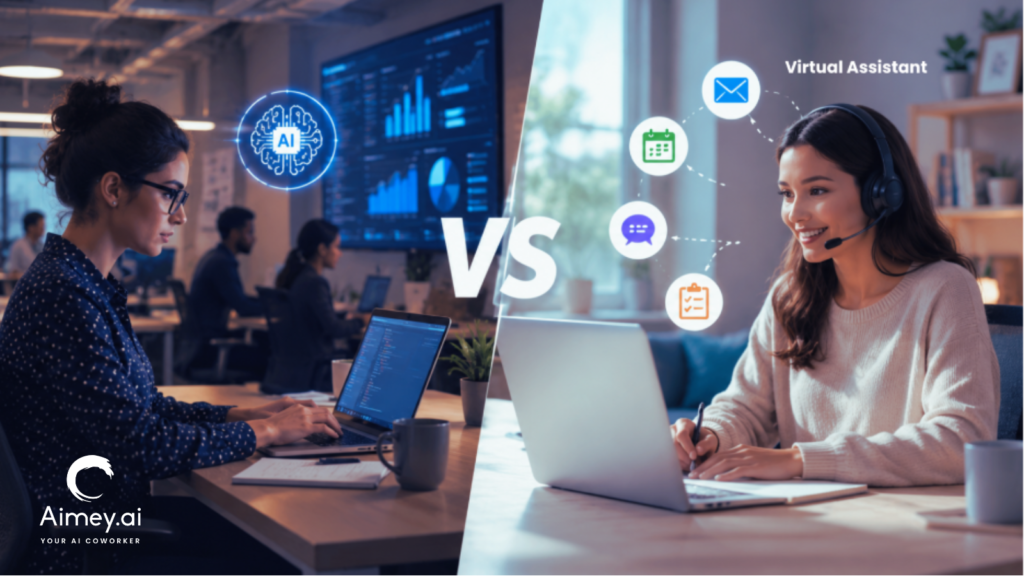
For years, businesses have been using virtual assistants to manage schedules, coordinate communication, and handle administrative work. Simultaneously, the arrival of AI in the workplace has introduced a new breed of tools that can participate in workflows, perform tasks, and enable execution across systems. This resulted in many teams asking a simple question: at what point does a virtual assistant end and an AI co-worker start? In this article, we’ll explore the scope of both, how they fit into day-to-day operations, and where each brings value inside a modern business. What Are Virtual Assistants and AI Co-workers? Virtual assistants and AI co-workers share the load of operational work but in different ways. One provides a human helping hand with administrative and coordination work. The other supports workflows with automation and system connectivity. What Is a Virtual Assistant? A Virtual Assistant is a remote worker who assists organizations with mundane work, including scheduling, inbox management, client communication, data input, and administrative coordination. Virtual assistants also manage problems that demand judgment, prioritization, and direct engagement with people. For instance, a virtual assistant may organize executives’ schedules, handle conversations with clients, or plan travel. What Is an AI Co-worker? An AI co-worker helps teams keep on top of tasks after the discussion. It can take notes from meetings, track action items, send reminders, and keep information structured across tools and systems. For example, an AI co-worker can prepare a summary of a project meeting, describe the next steps, assign responsibilities, and make sure that all the people involved are on the same page with the actions to be taken. Here’s the simplest way to think about it: a virtual assistant helps people stay organized; an AI co-worker helps workflows keep structured. AI Co-worker vs Virtual Assistant: Side-by-Side Comparison Virtual assistants and AI co-workers both help teams stay organized and productive. The difference lies in the type of work they support and how they operate within the business. Area Virtual Assistant AI Co-worker Primary Role Handles assigned tasks Owns workflow execution Operating Style Reactive Proactive Context Awareness Limited to the current request Understands projects, history, and dependencies Workflow Integration Human-led coordination Connects email, calendar, CRM, tasks, and documents Decision Support Limited Suggests priorities and next steps Visibility Manual updates Progress tracking and execution visibility Availability Working hours 24/7 Scalability Requires more hires Scales across teams Human Judgment High Limited Best For Administrative support Team and operational productivity Where Virtual Assistants Still Add More Value AI can take a lot of routine work off a team’s plate, but there are still some responsibilities that need a person behind them. Virtual assistants often make more sense when the work involves judgement, conversations, or managing relationships. Here are some examples: 1. Administrative Assistant Most leaders don’t have two days that look the same. Priorities change, meetings get rescheduled, and urgent requests appear out of nowhere. A virtual assistant can help keep everything on track and manage the coordination that comes with a busy schedule. 2. Stakeholder Communications There are some conversations that require more than a template response. Whether it is a client, vendor, or senior leader. Virtual assistants can read the room, adjust their tone, and talk appropriately. 3. Sensitive Issues Discretion and good judgment are often needed on issues involving employees, confidential information, or internal challenges. In these situations, there is not always a process, and this is why human involvement is important. 4. Relationship Management Consistent communication and follow-through are critical in building strong business relationships. Virtual assistants often maintain those relationships by talking to clients, partners, and internal stakeholders. Where AI Co-workers Deliver More Value AI teammates excel where consistency, visibility and operational follow-through are needed. They help teams stay going, without the administrative burden. Typical instances are: 1. Follow-Through on the Meeting After each meeting, an AI co-worker can take notes, note action items, assign owners, and track progress. 2. Workflow Coordination Tasks often hop from project tools to calendars to communication tools to business systems. An AI co-worker links those workflows. 3. Standardizing Processes Teams thrive on consistent documentation, systematic updates, and repeatable processes. AI processes help keep consistency across departments. 4. Tracking Tasks Teams thrive on consistent documentation, systematic updates, and repeatable processes. AI processes help to ensure consistency between departments. 5. Monitoring Work Until Completion AI co-workers continue tracking progress after the meeting ends. They can identify overdue actions, surface stalled work, and remind owners before deadlines slip. 6. Transparency across functions Projects tend to have more than one team. AI colleagues help keep information consistent across teams and eliminate status-chasing. What Works at Each Business Stage The ideal combination of human support and AI depends on the volume and complexity of the job being performed in the business. 1. Small Businesses Begin with an AI co-worker. Most teams at this point do not require further administrative support. They need support with taking notes for meetings, tracking tasks, doing follow-ups, and day-to-day coordination. An AI co-worker can do much of this at a fraction of the expense of employment. 2. Growing Businesses You’ve probably come to the realization that workflow automation isn’t the answer anymore. Projects attract more stakeholders, consumer communication increases, and the operational responsibilities become harder to manage. This is where a virtual assistant may help with coordination and follow-through. An AI co-worker can handle documentation, reminders, and task management. 3. Scaling Business Use both. The sheer volume of meetings, projects, and cross-functional activity sometimes exceeds what managers should be tracking by hand. The virtual assistant is centered on communication and coordination. The AI co-worker takes care of execution, follow-ups, and workflow visibility. 4. Larger Organizations Embed AI in all important workflows. At this point, the question is not AI co-worker vs. virtual helper. The question is: how can you divide up the job efficiently? AI co-workers handle boring operational work, and humans focus on decision-making, managing stakeholders and business priorities. How Are AI Co-workers Changing Workplace Productivity The first wave of AI in the workplace
What Is an AI-Coworker? Moving Beyond Chatbots & Copilots in Enterprise Workflows
Workplace AI tools still depend heavily on prompts. You ask a question, the system responds, and the interaction ends there. That setup works for quick requests, but it starts falling apart once work involves approvals, coordination, task ownership, and follow-through. That is where the idea of an AI Coworker starts to matter. Instead of acting like a chatbot or writing assistant, an AI Coworker handles parts of the workflow itself. It can pull information from meetings, update systems, assign tasks, send reminders, and keep work moving across teams. This explains why conversations around enterprise AI now go beyond copilots and chat interfaces. Companies want systems that can support execution, not just conversation. In this article, we’ll look at what AI Coworkers are, how they work, how they differ from copilots and AI agents, and where they fit inside the enterprise AI stack. What Is an AI Coworker? An AI Coworker is a system that supports work across meetings, tasks, communication, and workflows. Unlike chatbots that respond to prompts, it works inside business processes and helps move work forward. For example, an AI Coworker can: Pull action items from meetings Assign tasks to team members Update project trackers Send follow-ups and reminders Summarize project or team status This is what separates AI Coworkers from traditional automation tools. Rule-based automation follows predefined instructions. AI Coworker work with context. They can understand discussions, identify decisions, and connect information across systems. The term “coworker” is crucial because the system participates in the workflow instead of acting as a standalone tool. AI Copilots vs AI Agents vs AI Coworkers: What’s the Difference? The terms AI copilots, AI agents, and AI Coworkers often overlap, but they serve different roles inside a business workflow. First, let us understand what these do in brief: AI Copilots AI copilots support users in the course of task execution. They assist with content generation, questions, summarization, or decision support, but the user still runs the workflow. AI Agents AI agents can do tasks by following rules, context or predefined goals. They communicate with systems, start workflows, and carry out operational activities with minimal human intervention. AI Coworkers AI Coworkers work across workflows instead of just single tasks. Connect information, manage follow-through and support execution across meetings, systems & teams. Capability AI Copilots AI Agents AI Coworkers Primary Role Assist users Execute tasks Support workflows across teams How They Work Respond to prompts Act on goals and rules Coordinate work across systems Human Involvement High Moderate Shared collaboration Typical Tasks Drafting, summarizing, answering questions Updating systems, triggering workflows Managing tasks, follow-ups, and coordination Workflow Awareness Limited Context-aware Workflow and team-aware Enterprise Use Productivity support Process automation Operational execution and collaboration What an AI Coworker Does Coworker AI is built as an enterprise AI Coworker platform that connects communication, systems, and execution. It does not stay limited to answers or single-step automation. It helps move work from conversation to action across tools. Here are the core components of Coworker AI: Coworker Chat (company-wide knowledge layer) Coworker Chat works as a copilot for the entire organization. You ask a question, and it pulls answers from connected systems like Salesforce, Slack, Jira, Confluence, Google Drive, HubSpot, and other enterprise tools. It does not rely on one source. It reads across systems to give one clear answer based on real company data. Coworker Meetings (meeting-to-execution layer) Coworker Meetings joins Zoom, Google Meet, and Microsoft Teams calls as a silent participant. After the meeting, it does the follow-through work. It generates summaries, pulls out action items, creates tasks, updates CRM records, and sends notes to the right stakeholders. The focus is simple: meetings do not end with notes; they end with execution. Coworker Agents (autonomous workflow layer) Coworker Agents are no-code autonomous workflows. You define a trigger and a set of actions, and the agent runs continuously. This can include daily account health checks, onboarding flows that track customer milestones, or competitive monitoring that updates internal insights. These agents handle repeat operational work without manual input. OM1 – Organizational Memory (context and intelligence layer) OM1 is the memory layer that connects everything. It builds a structured map of the organization across people, projects, relationships, commitments, and internal knowledge. It pulls signals across 120+ dimensions and keeps updating as new information flows in. This allows the system to understand context, not just isolated data points. Why “Coworker” Is the Right Mental Model People often hear AI assistant and imagine something that waits for instructions, replies, and stops there. That view does not match how work actually runs inside teams. Work moves across tools, people, and steps, and it rarely finishes in one action. Here’s why businesses need an AI Coworker in their meetings: Work is a chain: A meeting leads to decisions. Those decisions become tasks, approvals, and follow-ups. An AI Coworker keeps that chain moving instead of letting it sit in notes. Work spans tools: Teams switch between email, CRM, project tools, chat, and docs. Context gets lost in the handoff. An AI Coworker keeps that context connected across tools. Execution > answers: A chatbot gives answers. An AI Coworker turns answers into action. It updates tasks, flags gaps, and nudges the right people when work slows down. Inside the flow: It does not sit outside the system. It works inside the team flow and helps push work through to completion. Where AI Coworkers Fit in the Enterprise AI Stack Enterprise AI stacks now include far more than chat interfaces. Companies use AI across operations, communication, analytics, customer support, documentation, and internal workflows. A typical enterprise AI stack may include: Layer Purpose Communication Tools Meetings, email, chat, collaboration System of Record CRM, ERP, HR, project platforms AI Copilots Writing, search, productivity support AI Agents Task execution and workflow automation AI Coworkers Coordination, follow-through, workflow continuity This is where AI Coworkers become useful. They connect discussions, tasks, systems, and follow-ups instead of operating inside one application. What to Look for in an AI Coworker Platform