What Is an AI-Coworker? Moving Beyond Chatbots & Copilots in Enterprise Workflows

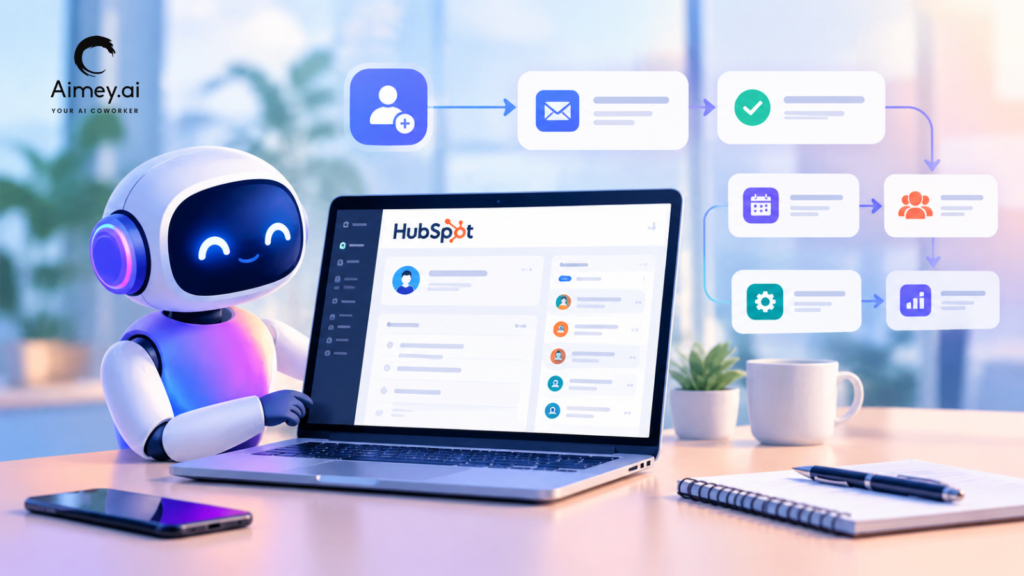
Workplace AI tools still depend heavily on prompts. You ask a question, the system responds, and the interaction ends there. That setup works for quick requests, but it starts falling apart once work involves approvals, coordination, task ownership, and follow-through. That is where the idea of an AI Coworker starts to matter. Instead of acting like a chatbot or writing assistant, an AI Coworker handles parts of the workflow itself. It can pull information from meetings, update systems, assign tasks, send reminders, and keep work moving across teams. This explains why conversations around enterprise AI now go beyond copilots and chat interfaces. Companies want systems that can support execution, not just conversation. In this article, we’ll look at what AI Coworkers are, how they work, how they differ from copilots and AI agents, and where they fit inside the enterprise AI stack. What Is an AI Coworker? An AI Coworker is a system that supports work across meetings, tasks, communication, and workflows. Unlike chatbots that respond to prompts, it works inside business processes and helps move work forward. For example, an AI Coworker can: Pull action items from meetings Assign tasks to team members Update project trackers Send follow-ups and reminders Summarize project or team status This is what separates AI Coworkers from traditional automation tools. Rule-based automation follows predefined instructions. AI Coworker work with context. They can understand discussions, identify decisions, and connect information across systems. The term “coworker” is crucial because the system participates in the workflow instead of acting as a standalone tool. AI Copilots vs AI Agents vs AI Coworkers: What’s the Difference? The terms AI copilots, AI agents, and AI Coworkers often overlap, but they serve different roles inside a business workflow. First, let us understand what these do in brief: AI Copilots AI copilots support users in the course of task execution. They assist with content generation, questions, summarization, or decision support, but the user still runs the workflow. AI Agents AI agents can do tasks by following rules, context or predefined goals. They communicate with systems, start workflows, and carry out operational activities with minimal human intervention. AI Coworkers AI Coworkers work across workflows instead of just single tasks. Connect information, manage follow-through and support execution across meetings, systems & teams. Capability AI Copilots AI Agents AI Coworkers Primary Role Assist users Execute tasks Support workflows across teams How They Work Respond to prompts Act on goals and rules Coordinate work across systems Human Involvement High Moderate Shared collaboration Typical Tasks Drafting, summarizing, answering questions Updating systems, triggering workflows Managing tasks, follow-ups, and coordination Workflow Awareness Limited Context-aware Workflow and team-aware Enterprise Use Productivity support Process automation Operational execution and collaboration What an AI Coworker Does Coworker AI is built as an enterprise AI Coworker platform that connects communication, systems, and execution. It does not stay limited to answers or single-step automation. It helps move work from conversation to action across tools. Here are the core components of Coworker AI: Coworker Chat (company-wide knowledge layer) Coworker Chat works as a copilot for the entire organization. You ask a question, and it pulls answers from connected systems like Salesforce, Slack, Jira, Confluence, Google Drive, HubSpot, and other enterprise tools. It does not rely on one source. It reads across systems to give one clear answer based on real company data. Coworker Meetings (meeting-to-execution layer) Coworker Meetings joins Zoom, Google Meet, and Microsoft Teams calls as a silent participant. After the meeting, it does the follow-through work. It generates summaries, pulls out action items, creates tasks, updates CRM records, and sends notes to the right stakeholders. The focus is simple: meetings do not end with notes; they end with execution. Coworker Agents (autonomous workflow layer) Coworker Agents are no-code autonomous workflows. You define a trigger and a set of actions, and the agent runs continuously. This can include daily account health checks, onboarding flows that track customer milestones, or competitive monitoring that updates internal insights. These agents handle repeat operational work without manual input. OM1 – Organizational Memory (context and intelligence layer) OM1 is the memory layer that connects everything. It builds a structured map of the organization across people, projects, relationships, commitments, and internal knowledge. It pulls signals across 120+ dimensions and keeps updating as new information flows in. This allows the system to understand context, not just isolated data points. Why “Coworker” Is the Right Mental Model People often hear AI assistant and imagine something that waits for instructions, replies, and stops there. That view does not match how work actually runs inside teams. Work moves across tools, people, and steps, and it rarely finishes in one action. Here’s why businesses need an AI Coworker in their meetings: Work is a chain: A meeting leads to decisions. Those decisions become tasks, approvals, and follow-ups. An AI Coworker keeps that chain moving instead of letting it sit in notes. Work spans tools: Teams switch between email, CRM, project tools, chat, and docs. Context gets lost in the handoff. An AI Coworker keeps that context connected across tools. Execution > answers: A chatbot gives answers. An AI Coworker turns answers into action. It updates tasks, flags gaps, and nudges the right people when work slows down. Inside the flow: It does not sit outside the system. It works inside the team flow and helps push work through to completion. Where AI Coworkers Fit in the Enterprise AI Stack Enterprise AI stacks now include far more than chat interfaces. Companies use AI across operations, communication, analytics, customer support, documentation, and internal workflows. A typical enterprise AI stack may include: Layer Purpose Communication Tools Meetings, email, chat, collaboration System of Record CRM, ERP, HR, project platforms AI Copilots Writing, search, productivity support AI Agents Task execution and workflow automation AI Coworkers Coordination, follow-through, workflow continuity This is where AI Coworkers become useful. They connect discussions, tasks, systems, and follow-ups instead of operating inside one application. What to Look for in an AI Coworker Platform
Aimey vs Fireflies: Comparing Meeting Notes, Agendas, and Automation

Meetings take up a large part of the workweek. Research often puts that ineffective meetings cost the US $37 billion per year. Yet much of what gets discussed never turns into clear notes or follow-ups. That gap shows up later. Someone asks what was approved. The answers vary, and teams end up revisiting the same conversation. Tools like Fireflies AI stepped in to fix part of this. They record meetings and generate transcripts. That helps, but it doesn’t fully address the issue. Teams still need to pull out decisions, organize notes, and assign next steps. So, the question shifts from capture to usefulness: what is the best Fireflies AI alternative? This comparison looks at Aimey.ai and Fireflies AI across meeting notes, agendas, and automation. The focus stays on how each tool supports real work after the meeting ends. Let’s start with what an AI meeting assistant should actually do. What Does an AI Meeting Assistant Do? At a basic level, an AI meeting assistant records a conversation and turns it into text. That covers transcription. Teams do not just want a record of what was said. They want to know what matters. Here’s what that looks like in practice: Capture the meeting without effort: No one needs to take notes during the call. The tool records the discussion across platforms and keeps everything in one place. Turn raw conversation into usable notes: Instead of a long transcript, the output should feel structured. Key points, outcomes, and context should stand out. Call out decisions clearly: Teams should not need to scan pages of text to find approvals or changes. Those should appear upfront. Track what needs to happen next: Meetings often end with tasks. A good assistant identifies them, attaches owners, and keeps them visible. Keep context across meetings: Decisions rarely happen in one call. Teams need a way to connect discussions over time without piecing things together manually. Support the meeting itself: Agendas, notes, and follow-ups should feel connected. This helps teams stay focused during the call and clear after it ends. This is where the gap becomes clear. A tool like Fireflies AI handles capture well. A tool like Aimey.ai focuses more on what comes after. Key Features to Look for in an AI Meeting Assistant in 2026 Choosing the right AI meeting assistant matters if your team relies on meetings for decisions and follow-ups. Here are the features that matter most: 1. Structured meeting notes Notes should not feel like raw transcripts. A strong tool presents discussions in a clear format with key points, decisions, and outcomes already organized. This allows teams to use the notes without rewriting them. Tools like Aimey.ai focus on this structure so the output feels complete. 2. Clear decision tracking Meetings often lead to approvals and changes. These should appear clearly in the notes instead of getting buried in conversation. When decisions stand out, teams can move forward without revisiting the discussion. 3. Action items with ownership A meeting without clear next steps slows execution. The tool should identify tasks, assign owners, and outline what needs to happen next. This removes the need for manual follow-ups after the call. 4. Continuity across meetings Work does not happen in one discussion. Decisions build over time. The tool should keep records connected so teams can track progress without piecing together separate notes. 5. Agenda support and meeting structure A clear agenda keeps meetings focused. The tool should support this by aligning notes with the flow of discussion. This makes both the meeting and the output easier to follow. 6. Workflow support beyond notes Teams often spend time moving information from notes into other tools. A good assistant reduces this effort by organizing outputs in a way that fits into existing workflows. By focusing on these features, you can choose a tool that does more than capture meetings. It helps your team act on them. Now, let’s compare how Aimey.ai and Fireflies AI perform across these areas. Aimey.ai vs Fireflies.ai Both tools sit in the same category, but they solve slightly different problems. One focuses on capturing conversations. The other focuses on turning those conversations into something teams can act on. Here’s how Aimey.ai and Fireflies AI compare across the areas that matter most. 1. Meeting Notes Aimey.ai Aimey.ai approaches meeting notes as a final output, not a draft. It turns discussions into structured meeting notes that teams can use without edits. The format keeps key points, decisions, and next steps clearly separated, which helps teams review outcomes without going through full conversations. This makes it useful in settings where clarity matters, such as client discussions, internal planning, or cross-team alignment. Teams spend less time rewriting notes and more time acting on them. Key Features: Structured meeting notes with clear sections Separation of decisions, discussions, and actions Clean format ready for sharing Pros: Reduces manual note cleanup Easier to review and reference Works well for decision-heavy meetings Cons: May feel structured for very informal discussions Fireflies AI Fireflies focuses on capturing conversations and converting them into transcripts with basic summaries. Key Features: Automatic transcription Search within conversations Basic summaries Pros: Simple to use Good for recording meetings Cons: Notes often need manual refinement Key points can get buried in transcripts 2. Agendas and Meeting Flow Aimey.ai Aimey.ai connects agendas with outcomes. It helps teams start with a clear structure and then reflect that structure in the notes. This keeps meetings focused and makes the output easier to follow later. The link between agenda and notes also improves consistency across meetings, especially in teams that run regular check-ins or planning sessions. Key Features: Agenda-linked note structure Clear alignment between topics and outcomes Consistent format across meetings Pros: Keeps discussions focused Makes notes easier to navigate Supports repeatable meeting formats Cons: Requires teams to adopt a structured approach Aimey.ai integrates with Microsoft Teams to share meeting notes and key updates directly within your team’s conversations. Everyone stays aligned without switching platforms or chasing information. Schedule a demo
5 Meeting Minutes Examples & Template (And How to Automate Them)

Meetings generate direction, but that direction often fades once the conversation ends. Decisions blur, ownership stays unclear, and teams revisit the same points in the next discussion. This lack of continuity slows down execution and weakens accountability. Meeting minutes solve this problem by turning discussions into a structured record. They capture decisions, define responsibilities, and create a single source of truth for everyone involved. This guide explains how to write meeting minutes with clarity and precision. It also includes practical examples to help you understand meeting minutes better. Why Are Meeting Minutes Important? Meeting minutes serve as a formal record of a meeting’s outcomes. They focus on key discussion points, decisions, and assigned actions rather than a word-for-word transcript. Here’s why meeting minutes matter: Clarity across teams: Minutes eliminate confusion by documenting decisions in a shared format. Everyone works with the same understanding. Defined ownership: Action items linked to specific individuals reduce ambiguity and prevent tasks from slipping through gaps. Stronger accountability: Documented decisions create a reference point that teams can revisit and track over time. Better continuity: Teams can pick up where they left off without repeating discussions, especially in long-term or multi-stakeholder projects. Efficient execution: Clear records reduce back-and-forth and help teams move forward without delays. Without structured meeting minutes, teams depend on scattered notes and memory. This often leads to missed actions, inconsistent understanding, and repeated conversations. Proper documentation removes these inefficiencies and supports consistent progress. What to Include in Meeting Minutes Good meeting notes should feel simple. Like someone just made sure nothing important slipped away. Here’s an easy way to think about it: Start with the basics: Add the date, time, type of meeting, and who was there. It just helps everyone remember the context later. Why the meeting happened: Write one or two lines on what brought everyone together. What were you trying to figure out or move forward? What actually came up: Don’t overdo it. Just note the key points that shaped the conversation. The ideas people reacted to, the concerns, the turns in thinking. What was decided: Keep this very clear. What did everyone agree on in the end? This is the part people usually come back to. What needs to be done next: List the actions, who owns them, and roughly when they need to be done. If there’s no owner, it won’t move. Anything still open: Add the loose ends or things that need another round of discussion. This keeps the thread going for next time. How to Automate Meeting Minutes Automating meeting minutes helps improve accuracy, save time, and ensure decisions and action items are clearly captured and shared. Here is how you can handle it from start to finish. 1. Set a simple structure Before the meeting starts, keep a basic format ready. Just include agenda, key points, decisions, and action items. When the structure is already in place, it’s much easier to stay focused during the discussion. 2. Capture what matters You don’t need to write everything people say. Focus on what was actually decided, what changed, and what needs to happen next. That’s what people usually refer back to. 3. Take notes as things happen Waiting until after the meeting usually leads to forgotten details. Using an AI tool or even quick live notes helps you capture things in real time while context is still fresh. 4. Let tools track tasks This is where automation really helps. Instead of manually listing tasks later, AI tools can pick out action items during the meeting itself, assign owners, and even suggest deadlines. 5. Keep it easy to read Simple always works better. Short bullet points and clean sections make it easier for everyone to quickly scan and understand what was discussed. 6. Do a quick cleanup After the meeting, take a few minutes to review. Fix anything unclear, double-check action items, and make sure everything important is captured properly. 7. Share with clarity When sending the minutes, don’t bury the key points. Start with decisions and action items so people immediately know what they need to do. 8. Use AI to make it easier Tools like Aimey.ai Meeting Assistant can quietly handle most of this for you. It listens in, turns conversations into structured notes, and pulls out action items with owners. So instead of spending time writing minutes, you can focus on the actual meeting. 5 Easy Meeting Minutes Examples Different meetings need different formats. The structure should match the outcome you need. Use a lighter format when speed matters. Add detail when context matters. Here are five formats that hold up in real work. 1. Action-oriented meeting minutes These focus on decisions and assigned actions. They remove most of the discussion and capture ownership with deadlines. Purpose: Capture tasks and responsibilities with clarity. Example: Decision: Roll out new onboarding flow on 5 Oct Action item 1: Amanda (Product) to complete onboarding screens by 25 Sept Action item 2: Robert (Growth) to prepare launch emails by 28 Sept Action item 3: Ops team to confirm rollout schedule by 30 Sept 2. Discussion meeting minutes These include the flow of conversation. They capture key points, concerns, and the reasoning behind decisions. Purpose: Provide context around decisions. Example: Topic: Onboarding experience Amanda pointed out drop-offs in the current flow. John suggested adding guided steps for new users. The group agreed this could improve activation. Topic: Launch communication Robert raised concern about early messaging. The team agreed to align communication with feature readiness. Decision: Onboarding updates ready by 25 Sept. Launch emails by 28 Sept 3. Verbatim meeting minutes These record a word-for-word account of the meeting. They suit legal, compliance, or high-stakes environments where exact wording matters. Purpose: Maintain a complete and exact record. Example: Amanda: “Users drop off during onboarding. We need a simpler flow.” John: “That means design changes. Can we manage this within the current sprint?” Robert: “If we send emails too early, users may expect access before launch.” Lead: “We align on timelines. Amanda
Reduces Human Error Through Automated Solutions: Boosting Efficiency

The Urgency for Accuracy: Emphasizing the Critical Need to Reduce Human Error In today’s fast-paced, data-driven world, the phrase “reduces human error through automated solutions” has never been more relevant. Human error can have devastating impacts – from financial losses to compromised safety and tarnished reputations. Whether it’s in healthcare, finance, manufacturing, or customer service, the margin for error is shrinking every day. Automation presents an invaluable opportunity to execute tasks with precision, thereby minimizing the mistakes commonly associated with manual processes. This urgency for accuracy is a driving force behind the growing adoption of automated solutions. The Role of Technology: An Overview of Automation’s Promise Technology is revolutionizing the way we live and work, offering unprecedented ways to eliminate human error. Automation doesn’t just promise efficiency; it redefines operational standards by automating repetitive tasks, providing consistent results, and allowing human workers to focus on more complex, strategic activities. From machine learning algorithms that detect anomalies in real time to robotic process automation (RPA) that handles routine administrative tasks, technology is at the forefront of this transformative wave. The ultimate goal is to create seamless workflows that mitigate the risk of human error, thus offering unparalleled accuracy and reliability. Reduces Human Error Through Automated Solutions: A Preview into the Blog’s Exploration In this blog, we will delve deep into how automated solutions are shaping the future by significantly reducing human error. Through an exploration of the nature of human error, we will understand why manual processes are susceptible to mistakes and how automation can serve as an effective antidote. We will also examine real-world examples of organizations that have successfully minimized human error through automation, offering actionable insights and best practices. From operational efficiencies to financial gains, the benefits are multifaceted and far-reaching. Our aim is to provide a comprehensive guide on harnessing the power of automated solutions to achieve optimal accuracy and efficiency. Understanding the Nature of Human Error Exploring the Connection Between Mistakes and Manual Processes Human error is an inevitable aspect of manual processes, often stemming from fatigue, distraction, or misunderstanding. When we rely on manual entry or decision-making, the probability of errors increases dramatically. This can result in significant operational inefficiencies, compromising the accuracy and reliability of crucial data. Furthermore, human mistakes in manual processes can lead to costly delays, reduced customer satisfaction, and even reputational damage. By examining these failures’ root causes, we can identify opportunities for improvement and better appreciate the necessity of automation. Harnessing the Power of Automation Breaking Down How Technology Minimizes Mistakes Automated solutions have emerged as powerful tools to reduce human error, transforming how tasks are performed across various industries. These technologies streamline operations by removing the human element from processes that are prone to errors. Sophisticated algorithms and artificial intelligence (AI) systems handle repetitive and complex tasks with unparalleled precision. For example, automated systems can process large volumes of data quickly and accurately, ensuring consistency and reliability. As a result, businesses can achieve higher levels of productivity and efficiency, enabling teams to focus on strategic, value-added activities. Automated data entry systems prevent transcription errors. Advanced AI algorithms accurately predict trends and make informed decisions. Robotic process automation (RPA) ensures tasks are completed without interruption. Machine learning models continuously improve accuracy over time. Automated monitoring systems instantly detect and correct discrepancies. Real-world Illustrations Examples of Organizations That Successfully Reduced Human Error Through Automated Solutions Numerous organizations across various industries have successfully minimized human error through the implementation of automated solutions. For instance, in the healthcare sector, hospitals utilize automated medication dispensing systems to reduce prescription errors, enhancing patient safety. Financial institutions employ sophisticated algorithmic trading platforms to mitigate the risk of human error in investment decisions. Additionally, manufacturing companies use robotic process automation to ensure consistent product quality while substantially cutting down on defects. One prominent example is a major e-commerce company that has leveraged machine learning and AI to optimize its supply chain management. By implementing automated inventory tracking and demand forecasting tools, the company has significantly reduced out-of-stock situations and overstocking. Consequently, these improvements have led to increased customer satisfaction and reduced operational costs. Embracing automation allows businesses to thrive in a highly competitive landscape, exemplifying how we can transform operations through innovative technologies. Did you know? Automated solutions can reduce human error significantly, leading to better efficiency and substantial cost savings for businesses across various industries. Reflecting on the Impact: The Operational and Financial Benefits of Reducing Human Error As we stand on the brink of a new era dominated by technological advancements, it’s crucial to reflect on the significant impact that reducing human error through automated solutions has on our operations and finances. Automation not only improves the accuracy of tasks but also ensures that work is completed more efficiently and with fewer resources. The ripple effect of fewer mistakes translates into substantial cost savings and higher productivity, empowering businesses to scale and innovate more freely. Imagine the benefits of making fewer errors in complex tasks like data entry, customer service, or supply chain management, where even minor mistakes can lead to significant repercussions. Looking Ahead: The Future of Automated Solutions in Different Industries The future of automation is incredibly promising, with various industries poised to benefit significantly. In healthcare, automated systems can reduce diagnostic errors, improve patient outcomes, and streamline administrative tasks. Manufacturing sectors see automation enhancing product quality while minimizing waste and operational costs. Retail industries are using automation for inventory management, personalized marketing, and customer relationship management. As these industries continue to adapt and evolve, the scope of automation is only set to expand, offering more sophisticated and specialized solutions that will redefine standard operating procedures. Leveraging Automation: How Individuals and Businesses Can Begin to Reduce Human Error Today Reducing human error through automated solutions starts with a deep understanding of how works these technologies. For businesses, this journey begins with a thorough assessment of their current processes to identify areas where automation can make the most significant impact. Implementing automation doesn’t
Improves Administrative Processes Across Industries with AI Efficiency Revolution

Understanding the Scope: What We Mean by ‘Administrative Processes’ Businesses across various sectors are standing on the threshold of a transformative era as Artificial Intelligence (AI) significantly improves administrative processes across industries. Administrative processes encompass a wide range of tasks including data entry, scheduling, communication management, inventory control, and more. These routine activities, although crucial, often consume significant amounts of time and resources. Understanding what falls under administrative processes is essential to appreciate how AI can redefine efficiency. The Current Scenario: Common Challenges in Administrative Tasks Across Industries Currently, administrative tasks are often bogged down by manual procedures that lead to inefficiencies and increased operational costs. In many organizations, these tasks are prone to human error, inconsistency, and delays. From healthcare to finance and retail, the weight of inefficient administration can hamper productivity and affect overall service delivery. The repetitive nature of these tasks can also lead to employee burnout, resulting in higher turnover rates and reduced job satisfaction. These challenges underscore the need for technology-driven solutions that can streamline operations and elevate productivity. A Glimpse into the Future: The Power of AI in Streamlining Processes The future holds immense possibilities as AI technologies evolve to offer smarter, faster, and more accurate ways of handling administrative duties. AI can automate routine tasks, analyze vast amounts of data in seconds, and provide insights that help in decision-making. For instance, AI-driven tools can manage calendars, process invoices, handle customer inquiries, and even predict inventory needs with high accuracy. By integrating AI into administrative processes, businesses can unlock new levels of efficiency, allowing employees to focus on more strategic activities that drive business growth. Beyond Traditional Methods: Role of AI in Enhancing Administrative Efficiency Artificial Intelligence is swiftly revolutionizing how we handle administrative processes across industries. Traditionally, administrative tasks involved a lot of manual labor, from data entry to scheduling and customer service management. These repetitive tasks, although crucial, often lead to human error and inefficiencies. However, AI offers a solution by automating routine tasks, thereby reducing errors and improving accuracy. AI algorithms can process large volumes of data quickly, enabling real-time insights that were previously unattainable. For example, machine learning models can sort and categorize data with incredible precision, freeing up human resources to focus on more strategic areas. In addition, AI can be integrated with existing systems to provide a seamless workflow, thereby enhancing overall efficiency. Case Study Review: Examples of How AI Improves Administrative Processes Across Industries One of the most compelling areas where AI is making a difference is in healthcare administration. Traditionally burdened with paperwork, healthcare systems are now employing AI to manage patient records, schedule appointments, and even handle billing. Johns Hopkins Hospital has implemented an AI-based system to predict patient admission rates, and as a result, has optimized staffing levels, reducing costs and improving patient care. In the financial sector, AI is utilized for fraud detection, risk management, and customer service. Banks are using AI to automate customer interactions through chatbots, which can handle a multitude of queries in real time. This not only improves customer satisfaction but also reduces the workload on human staff. Another industry benefiting from AI in administration is human resources. AI-driven platforms are being used to analyze resumes, match job seekers with suitable roles, and even conduct initial interviews. Companies like Unilever have successfully used AI to streamline their recruitment processes, thus ensuring a faster and more efficient hiring cycle. Making a Positive Impact: The Benefits Of AI-Driven Administration Utilizing AI in administrative processes across industries brings an array of benefits that cannot be overlooked: Increased Efficiency: By automating routine tasks, AI allows for quicker processing times and reduces the likelihood of human error. Cost Savings: Automation reduces the need for a large workforce to handle administrative tasks, thus leading to significant cost savings. Enhanced Accuracy: AI algorithms are designed to handle data with high precision, ensuring that errors are minimized. Better Decision-Making: AI can analyze data to provide actionable insights, aiding in more informed decision-making. Improved Customer Experience: With AI handling routine queries, the customer service experience is faster and more reliable. In summary, integrating AI into administrative functions makes these processes not only faster but also more reliable. As we continue to explore the potential of AI, we can expect even more transformative impacts on administrative efficiency across various sectors. Did you know? AI can reduce administrative task time by up to 40%. This efficiency boost enables employees to focus on more strategic work and innovation. Necessary Adaptations: Preparing Your Business for AI Integration As we stand on the brink of a new era, it’s vital to prepare our business infrastructure for AI integration. This involves understanding our current administrative processes through meticulous analysis. Identifying bottlenecks and inefficiencies early on allows us to create a clear roadmap for AI implementation. Adapting our workforce to work alongside AI is another crucial step. Training sessions, workshops, and continuous learning programs can equip employees with the skills necessary to leverage AI tools effectively. The Bigger Picture: Long Term Implications of AI in Administration Across Sectors In the grand scheme of things, integrating AI to improve administrative processes across industries will have substantial long-term benefits. AI offers not only efficiency but also the potential for innovation and creativity by freeing up human resources from mundane tasks. Imagine a world where our administrative aspects are handled seamlessly by intelligent systems, allowing us to focus on strategic growth and innovation. Environmental sustainability is another long-term implication, as AI-driven processes tend to be more resource-efficient. Embracing Change: Why Now is the Right Time to Invest in AI for Improved Administrative Processes We stand at a pivotal moment where technology and necessity converge. Never has the potential for AI to improve administrative processes across industries been more evident. As the world becomes increasingly digitized, the risk of falling behind grows. Now is the time to embrace change and invest in AI. Doing so can yield immediate benefits such as cost savings, increased productivity, and enhanced accuracy
Identifies Tasks That Should Be Automated: Revolutionizing Efficiency

The Emergence of Automation in the Modern Workplace In today’s rapidly evolving business landscape, the pursuit of enhanced efficiency and productivity is ceaseless. The key to unlocking these gains often lies in automation. Identifies tasks that should be automated is not just a concept but a necessity that stands at the forefront of transformative strategies for organizations across industries. As we delve into the multifaceted world of automation, it becomes clear that pinpointing specific tasks suitable for automation can lead to unparalleled improvements in operational performance and resource management. Understanding the Scope and Power of Automation: An Overview Automation is no longer the realm of science fiction. With advancements in artificial intelligence and machine learning, automation technologies have evolved to perform tasks with precision and intelligence that rival human capabilities. The scope of automation is vast, covering everything from routine administrative functions to complex data analysis and even customer interactions. The power of automation lies in its ability to execute repetitive, time-consuming tasks swiftly and accurately. This, in turn, liberates human employees to focus on more strategic and value-added activities. As we explore the breadth of automation, we can identify a multitude of applications that can optimize workflows, reduce errors, and enhance overall productivity. Identifying Tasks that can be Automated for Maximizing Efficiency One of the most critical steps in adopting automation is identifying which tasks should be automated. Not every process is suitable for automation, and selecting the right tasks requires a comprehensive evaluation of the workflow. Tasks that are repetitive, rule-based, time-intensive, and prone to human error are prime candidates for automation. For example, data entry, invoice processing, scheduling, and customer service inquiries can often be automated with great success. By employing automation technologies in these areas, organizations can streamline operations, reduce costs, and improve accuracy and consistency. The identification process involves analyzing current workflows, understanding pain points, and evaluating the potential return on investment that automation can deliver. Moreover, it is essential to consider the scalability of automation solutions. As businesses grow, their processes become more complex, and the ability to scale automated tasks without significant additional costs becomes a crucial factor in maintaining efficiency and competitiveness. The Core Principles for Identifying Tasks That Should be Automated We must consider several core principles when identifying tasks that should be automated. First and foremost, repetitive tasks are prime candidates. Whenever we encounter tasks that require the same set of actions repeatedly with little to no variation, we should take note. Automation thrives on consistency and repetition. Another principle involves tasks prone to human error. If we often see mistakes occurring, automating that task might minimize errors and increase accuracy. Moreover, tasks taking up significant amounts of time – even if done sporadically – should also be on our radar. By automating such tasks, we can free up valuable resources for more complex and creative work. Case Studies: Successful Implementation of Automating Identified Tasks To illustrate, let’s delve into a few case studies highlighting successful implementations where organizations identified tasks that should be automated. In one instance, a major financial services firm automated its account reconciliation process. This task, once riddled with human errors and time inefficiencies, became streamlined, saving thousands of hours annually and significantly reducing error rates. In another case, an e-commerce company automated its customer service chat operations. Initially, customers experienced long wait times and inconsistent responses. Post-automation, the company not only saw improvement in response times but also in customer satisfaction. Automated chatbots handled common queries seamlessly, allowing human agents to tackle more intricate issues. Lastly, consider a healthcare provider that automated its appointment scheduling system. This move not only improved operational efficiency but also enhanced patient experiences through reduced wait times and fewer scheduling errors. How to Overcome Challenges during Automation Transition As we transition to automation, challenges are inevitable. However, understanding these challenges allows us to address and overcome them effectively. One primary challenge is resistance to change. Employees may fear for their jobs or feel overwhelmed by new technologies. To mitigate this, clear communication and training are essential. We should communicate how automation will improve their work life, not replace it. Offer educational resources and training sessions. Involve employees in the automation process, making them stakeholders in the transition. Provide continuous support as new systems are implemented. Additionally, we need to consider the initial costs of automation. While the long-term benefits are substantial, the upfront investment can be a deterrent. To navigate this, we should focus on a phased implementation. Start by automating a few critical tasks and gradually expand as we realize the savings and increased efficiencies. Another hurdle is ensuring data security and privacy. Automated systems often handle large volumes of sensitive information. Hence, implementing robust security protocols and compliance measures is paramount. Moreover, regular audits and updates to these systems will help prevent potential breaches. Did you know? Embracing automation in the workplace can lead to a 60% cost reduction on certain manual data entry tasks, enhancing efficiency and accuracy. The Future of Business Process: Identifies Tasks that Should be Automated As we stand on the cusp of a new era of efficiency, it is imperative that we embrace the capabilities of automation. By understanding the intricate dynamics of how it works, we can streamline our operations and focus on higher-order tasks that require human ingenuity. The trend of automating routine, repetitive, and error-prone tasks is not just a passing phase; it is rapidly becoming the cornerstone of modern business strategies. Encouraging a Shift Towards Automation: A Call to Action It’s time we proactively engage in this paradigm shift. Identifying tasks that should be automated is not merely a technical discussion; it’s a strategic business maneuver. It’s essential to conduct a thorough analysis of our current processes and identify areas where automation can drive efficiency and reduce operational costs. By doing so, we not only free up valuable human resources but also ensure that our businesses are agile, responsive, and competitive in an ever-evolving marketplace. Our call to
Future of Automated Workflows with AI: Transforming Work Dynamics

The Emergence of AI in the Modern Workplace The future of automated workflows with AI is already here, signaling a transformative shift in how we approach everyday tasks in the workplace. Artificial intelligence (AI) has rapidly evolved from a niche technology to an integral part of modern business operations. From predictive analytics to natural language processing, AI technologies are providing unprecedented opportunities for enhancing productivity and efficiency. AI’s emergence into the workplace is not just a trend; it is a revolution that reshapes the landscape of work itself. By leveraging advanced algorithms and machine learning techniques, AI systems can now perform complex tasks that previously required human intervention. This transition to AI-powered tasks, from data entry to customer relationship management, allows us to focus on more strategic, creative, and high-level activities. Importance of Automated Workflows The significance of automation in our workflows cannot be overstated. Automated workflows streamline processes, reduce errors, and save valuable time. By automating repetitive and mundane tasks, businesses can ensure that their human resources are being optimally utilized. More importantly, automation provides consistency in executing tasks, which is crucial for maintaining quality and reliability in outputs. Furthermore, automated workflows enable real-time monitoring and management of tasks, which improves operational transparency and control. Companies can quickly adapt to changes, rectify issues, and optimize their processes to deliver better outcomes. As organizations scale, maintaining manual workflows becomes increasingly challenging and inefficient, making automation an essential component of modern business operations. AI and Automation: A Revolutionary Future As we stand on the cusp of a digital transition, the union of AI and automation signals a revolutionary future for our workflows. This convergence is not merely enhancing traditional automation; it is creating a sophisticated, intuitive, and dynamic system that can adapt and learn over time. The Future of Automated Workflows with AI is bright and boundless, as AI continues to unlock new dimensions of efficiency and innovation. AI-driven automation systems can now predict workflow bottlenecks, suggest optimal paths, and even automate decision-making processes. These intelligent systems understand context, adapt to changing conditions, and continually improve based on feedback, making them indispensable tools for businesses aiming to thrive in a competitive landscape. As we delve deeper into the capabilities of AI, it becomes evident that we are only scratching the surface of what’s possible. The synergy between AI and automation will not just transform individual businesses but will redefine entire industries, setting new standards for productivity, innovation, and growth. AI Enhances Workflow Automation Artificial intelligence is fundamentally transforming traditional workflow automation, providing a more dynamic and intuitive system that aligns with the rapid pace of modern business. Enhanced by machine learning algorithms, AI-driven platforms analyze data in real-time, offering tailored solutions to optimize processes. This adaptability ensures that our systems can continuously evolve, addressing inefficiencies promptly. Moreover, AI facilitates the creation of workflows that self-improve, reducing the need for constant human intervention. Thus, businesses can focus more on strategic activities rather than mundane, repetitive tasks. Transforming the Business Landscape There are numerous industries where the future of automated workflows with AI is already making a significant impact: Healthcare: Automated workflows in healthcare powered by AI can streamline patient record management, optimize appointment scheduling, and enhance diagnostic accuracy. For instance, AI algorithms can quickly analyze medical images, assisting radiologists in identifying abnormalities. Finance: In the finance sector, AI-driven automation helps to detect fraudulent transactions, manage risk, and streamline customer service through chatbots and other AI tools. By analyzing transaction data, AI can identify patterns indicative of fraud much faster than traditional methods. Manufacturing: AI enhances supply chain management by predicting demand, optimizing inventory levels, and managing logistics more efficiently. Robots equipped with AI can also adapt to changes in production requirements, thus enhancing manufacturing agility. Customer Service: AI-driven chatbots and virtual assistants can handle customer inquiries around the clock, offering immediate responses and personalized service. These systems can learn from each interaction, continually improving their service quality and reducing the workload on human agents. Navigating Potential Challenges Despite its potential, the integration of AI into workflow automation is not without challenges. One primary concern is data security. As we increasingly rely on AI to handle sensitive information, the risk of data breaches escalates. Therefore, robust encryption and cybersecurity measures become imperative. Another challenge lies in the initial cost and complexity of implementing AI systems. Small to medium-sized businesses might find these barriers significant. Hence, scalable and cost-effective AI solutions are essential for wider adoption. Additionally, the workforce needs to adapt to this transition. Training and upskilling employees to work alongside AI tools will be crucial in ensuring a smooth integration. Overcoming resistance to change is another significant hurdle. Employees might fear job displacement; transparent communication about how AI can enhance their roles rather than replace them will be vital. Did you know? AI-driven automation can boost productivity by up to 40% by taking over routine tasks, allowing humans to focus on creative and strategic responsibilities. The Impact on the Future of Work The “Future of automated workflows with AI” is set to revolutionize the very fabric of our work environment. As AI continues to permeate more aspects of our workflows, we can expect a substantial shift in the nature of work itself. AI can handle repetitive and mundane tasks with unprecedented efficiency, allowing us to focus on more strategic and creative endeavors. This transition will greatly benefit employers, employees, and entrepreneurs alike, offering an opportunity to reimagine job roles, enhance productivity, and stimulate innovation. Preparing for an AI-Driven Future As we move into an era where AI will dominate the workplace, it is crucial for us to be well-prepared. For businesses, embracing AI technology is not just a strategic advantage but a necessary step to stay competitive. Training and upskilling the workforce to work alongside AI systems is vital. For individuals, continuing education and adaptability will be key. Understanding how to leverage AI tools will open new doors, making us more valuable in the job market. At aimey.ai, we are dedicated
Workflows That Save Time Daily: Boost Productivity with AI

Understanding Daily Time-saving Workflows In an era where efficiency is paramount, establishing workflows that save time daily is crucial for success. Whether you are a business owner aiming to streamline operations or an individual seeking to maximize your productivity, understanding and implementing effective workflows can make a significant difference. With the right approach, you can allocate your hours more wisely, maintain a steady rhythm in your tasks, and ultimately achieve better results in less time. Why Optimum Workflow Management Matters Effective workflow management is a cornerstone for achieving peak productivity. By organizing your processes and tasks in an optimal manner, you reduce the time spent on redundancies and avoid bottlenecks that can hamper progress. Workflow management is not just about doing things faster; it is about doing them smarter. When workflows are efficient, they enable you to focus on high-value activities, facilitate better decision-making, and enhance overall performance. Thus, investing time in configuring and refining your workflows pays off by providing more streamlined and manageable daily operations. Workflows that Save Time Daily: A Game-Changer for Businesses and Individuals Adopting workflows that save time daily is transformative for both businesses and individuals. For businesses, streamlined workflows mean quicker project turnarounds, better use of resources, and improved client satisfaction. For individuals, it translates to more free time, reduced stress, and increased opportunity for personal development. The power of these workflows lies in their ability to align routine tasks with strategic goals seamlessly, ensuring that every effort contributes to the bigger picture. By embedding these efficacious workflows into daily routines, we can collectively sharpen our competitive edge and realize greater opportunities for growth and achievement. Establishing Productive Routines with Time-saving Workflows One of the first steps to increased productivity is establishing effective routines that include workflows that save time daily. These workflows are essential because they provide a structured approach to daily tasks. By dedicating specific times for recurring tasks, we not only minimize delays but also ensure that our efforts are consistently focused on priorities. To begin, it is crucial to identify tasks that are repetitive but essential. For instance, tasks like checking emails, updating reports, or scheduling meetings can be streamlined into a time-saving workflow. Once these tasks are identified, grouping them into workflows allows for seamless transitions between activities. Incorporating AI into Your Regular Workflow: The role of Aimey.ai Artificial intelligence has revolutionized the way we handle our daily activities. Aimey.ai specifically plays a significant role in enhancing daily workflows that save time. By integrating Aimey.ai into our operations, repetitive manual tasks can be automated, reducing the time and effort needed to complete them. AI-powered tools can schedule meetings, send follow-up emails, generate reports, and even analyze data. All of these functions contribute to more efficient workflow management. Additionally, Aimey.ai’s intuitive interface ensures that these tasks are completed with minimal input from the user, further saving time and enhancing productivity. Case Study: How Implementing Efficient Workflows Saved Time and Boosted Productivity Let’s explore a real-world example of how efficient workflows have transformed operations. A mid-sized marketing firm was struggling with project delays and inefficiencies. By partnering with Aimey.ai, they focused on the following improvements: Automating client follow-ups Streamlining report generation Optimizing team communication through AI-powered task scheduling Initially, employees spent an average of three hours daily on these repetitive tasks. After the introduction of optimized workflows powered by Aimey.ai, they saved approximately 1.5 hours per person per day. This allowed the team to redirect their focus towards strategic planning and creative initiatives, ultimately boosting overall productivity. Moreover, the seamless integration of AI tools into their daily routines resulted in fewer errors and quicker turnaround times for project deliverables. This experience underscores the immense potential of workflows that save time daily by leveraging advanced technologies like AI. Did you know? Implementing time-saving workflows increased productivity by at least 20% in many businesses by streamlining routine tasks and reducing manual effort, paving the way for automation-driven efficiency. The Future of Workflow Management: Automation and Beyond As we move forward, the landscape of workflow management is poised to undergo significant transformations. Automation stands at the forefront of this evolution, promising to revolutionize how we handle daily tasks. By integrating cutting-edge technologies, we can collectively enhance our efficiency and productivity. Embracing automation is not just about staying relevant; it’s about staying ahead. These advancements mean we can focus more on strategic activities, leveraging our skills where they matter most while letting automated systems handle repetitive tasks. Enhance Efficiency with Workflows that Save Time Daily Optimizing workflow is not merely a trend; it is a necessity for success. By continually refining our processes, we can find new ways to streamline operations. With the help of tools like aimey.ai, integrating artificial intelligence into our routines becomes seamless. This integration not only speeds up our tasks but significantly reduces the margin for error. Adopting these workflows that save time daily allows us to maintain a high level of productivity and meet our goals more efficiently. The impact of these improvements is often immediate, but the long-term benefits are immeasurable. Parting Advice: Adopting and Adapting Efficient Workflows for Success As we conclude our journey into the power of effective workflows, it’s essential to reiterate the importance of continual improvement. By adopting effective workflows that save time daily, we ensure a more productive and less stressful work environment. Our aim should always be to blend new technologies with our established processes. However, it’s equally important to remain adaptable. The needs of our workflow may change, and being flexible allows us to pivot quickly and efficiently. Embrace new tools, like aimey.ai, that can facilitate these changes, making our work more streamlined and effective. By doing so, we place ourselves on a path to sustained success and unparalleled efficiency. FAQ What are daily time-saving workflows and why are they important? Daily time-saving workflows are streamlined processes designed to optimize your routine tasks, thereby conserving valuable time. They’re crucial because they help us maintain a high level of productivity by reducing
Improves Task Management Through Automation: Boosting Efficiency

Necessity of Task Management in the Modern Workforce In an era where digital transformation reigns supreme, the phrase “improves task management through automation” has become a compelling mantra for organizations aiming to stay competitive. Task management has always been critical to productivity, but its complexity has exponentially increased with the rise of remote work, cross-functional teams, and diversified schedules. The necessity of effective task management isn’t just an operational concern – it’s a strategic imperative. The modern workforce demands nuanced task management systems that can seamlessly navigate between different sets of tasks, deadlines, and team members. Traditional methods, often plagued by inefficiencies, manual interventions, and human error, no longer suffice. This evolving landscape calls for innovative solutions to orchestrate our workloads better, allowing us to allocate our time and resources more efficiently. This is where automation steps in as a powerful ally. The Impact of Automation on Productivity Automation has radically transformed how businesses operate, igniting a surge in productivity that was previously unattainable. By automating routine and repetitive tasks, we can free up valuable time and mental energy for more complex and creative endeavors. This shift not only enhances individual productivity but also fosters a culture of innovation and efficiency across the entire organization. Automation solutions streamline workflows by integrating disparate systems and providing real-time updates, ensuring that every task is accounted for and progressing as planned. This interconnected environment significantly reduces delays and bottlenecks, offering a clearer overview of project timelines and resource allocation. It’s no wonder then that organizations that embrace automation often report improved employee satisfaction and higher overall engagement. Introduction to the Concept of “Improves Task Management Through Automation” But how exactly does automation drive these substantial productivity gains? The concept of “improves task management through automation” encapsulates a range of technologies designed to simplify and optimize our daily tasks. From AI-driven tools capable of scheduling meetings and sending reminders to advanced systems geared towards project management and collaboration, automation offers a multi-faceted approach to tackling inefficiency. When integrated into our task management strategies, automation tools can identify and prioritize tasks based on urgency and importance, assign roles, track progress, and even provide predictive analytics to foresee potential issues before they escalate. This intelligent orchestration reduces the cognitive load on employees, enabling them to focus on value-added activities rather than getting bogged down by administrative burdens. In essence, automation doesn’t just make task management easier; it makes it smarter. As we continue to explore and adopt these advanced solutions, we are poised to redefine the boundaries of what can be achieved in our workplaces. Whether you’re a small business or a large enterprise, the journey towards improved task management through automation offers ample opportunities for growth and efficiency. Unpacking the Mechanism: How Automation Enhances Task Management As we explore the mechanism behind how automation enhances task management, it’s crucial to understand the critical role that it plays in optimizing our daily operations. By leveraging advanced algorithms and machine learning, automation ensures that repetitive tasks are handled efficiently, thereby freeing up human resources for more strategic, value-added activities. Consequently, this translates to increased productivity and reduced errors. Moreover, real-time monitoring and reporting capabilities of automated systems provide us with actionable insights. These insights enable us to make informed decisions swiftly, thus improving overall task management. Notably, automation fosters seamless workflow integration by connecting disparate systems and synchronizing data, which simplifies task execution. Case Studies: Companies Seeing Success with Automated Task Management Numerous companies have successfully harnessed automation to revolutionize task management within their organizations. For instance, a leading technology firm implemented an automated project management tool that streamlined task allocation and monitoring. The result was a 30% reduction in project completion times and a significant boost in team morale. Another noteworthy example is a global retail giant that utilized automation to manage inventory and supply chain tasks. Through automated forecasting and ordering, the company achieved a 50% reduction in stockouts and overstock situations, thereby enhancing customer satisfaction and operational efficiency. Such examples underscore how automation improves task management through automation, leading to tangible business outcomes. Future Trends: How “Improves Task Management Through Automation” is Shaping the Industry Looking forward, automation is poised to further transform the landscape of task management. Emerging trends suggest a growing adoption of artificial intelligence and robotic process automation (RPA) to handle increasingly complex tasks. Here are some key trends on the horizon: AI-Powered Task Allocation: Sophisticated AI algorithms will assign tasks based on individual skills and workload, ensuring optimal resource utilization. Intelligent Scheduling: Automated scheduling tools will adapt to changing priorities in real-time, ensuring deadlines are met efficiently. Advanced Analytics: Predictive analytics will provide deeper insights into task performance, enabling proactive adjustments and continuous improvement. Enhanced Collaboration Tools: Integrated communication platforms will facilitate seamless collaboration, regardless of geographic boundaries. As these trends gain traction, the role of automation in task management will continue to expand, making it an indispensable tool for businesses striving for excellence. By adopting these innovations, organizations can expect to see enhanced efficiency, better decision-making, and a more agile response to market demands. In summary, as we navigate the evolving landscape of task management, automation stands out as a game-changer. By embracing these advancements, we are well on our way to a future where task management is not only efficient but also a catalyst for innovation and growth. Did you know? Companies implementing automation in task management report up to a 30% increase in productivity, streamlining workflows and reducing human error. Reflection on the Benefits and Potential Challenges of Automation in Task Management The integration of automation into our task management processes presents significant advantages that streamline operations and elevate productivity levels. By automating repetitive and time-consuming tasks, we can allocate our human resources to more critical and creative endeavors. This not only enhances efficiency but also leads to higher job satisfaction and innovation within the workplace. Moreover, automation minimizes the likelihood of errors, ensuring greater accuracy and reliability in task completion. However, it is essential to