
How Can AI Co-workers Save Managers 10+ Hours Every Week

Managers rarely lose an hour at a time. Time gets consumed in 10-minute tasks: checking meeting notes, chasing updates, replying to routine emails, updating CRM records, and preparing the same reports every week. That adds up. A manager with five hours of recurring admin work each week loses more than 250 hours a year to coordination alone. AI Co-workers can take over parts of this workload through AI meeting assistants, task automation, and workflow automation. The value comes from connecting these tasks. A meeting can produce notes, create tasks, update a CRM, trigger a follow-up, and flag an unresolved issue without someone moving information from one system to another. For managers and CXOs, the real question is simple: Which recurring work should still require your team’s time? 10 Ways AI Co-workers Save Managers Hours Every Week The biggest time drains rarely come from one large task. They come from work that repeats across meetings, email, reporting, project updates, follow-ups, and internal coordination. An AI co-workers can take over these recurring workflows and connect the steps that teams usually handle by hand. The examples below focus on practical work managers deal with every week. Each one shows AI productivity stack for professionals. 1. Cut Meeting Admin After Every Call Potential time saved: 2–3 hours/week Meetings generate work once the call is over. Someone has to take notes, document decisions, assign action items, maintain project records, and send out follow-ups. An AI meeting assistant removes that workflow right out of the conversation. It transcribes the meeting, captures decisions and action items, assigns owners, and drafts follow-up communication. You can also deploy connected workflows to Jira, Salesforce, HubSpot, Asana, or Microsoft Planner. Example: A weekly project review closes with six action items. The AI develops the tasks, assigns owners, records deadlines and prepares the recap – instead of a project manager taking 30 minutes to document them. Manager tip: Focus on regular meetings that create the same administrative work week after week. Record the time before and after automation. 2. Stop Spending the First Hour on Email Triage Potential time saved: 1–2 hours/week Managers rarely need to read every email that reaches their inbox. The real work sits in finding the messages that need a decision, reply, approval, or follow-up. AI is able to summarize long threads, identify requests, prioritize urgent messages, and draft routine responses. It can also detect conversations that need replies after a certain amount of time. Example: A manager returns from a client meeting to 60 new emails. The AI sorts them into approvals, customer requests, internal decisions and low-priority messages, then drafts a reply to the items needing action. Manager tip: Keep human approval on sensitive emails. Automate triage and drafting first. 3. Turn Weekly Status Chasing Into One Briefing Potential time saved: 1–2 hours/week Weekly status reviews generally begin with the same problem: managers need information from numerous teams before they can see what needs improvement. That includes chasing owners, examining project tools and piecing together the latest status. Workflow automation can bring in updates from project trackers, meeting notes, CRM activity, and team communication channels. The AI is able to then generate a single briefing that includes progress, blockers, overdue work, and dependencies. Example: The AI pulls project updates from Jira and Smart Sheet, reads the latest Teams chats, and identifies three projects that are overdue and have outstanding dependencies before a Monday portfolio review. Manager tip: Set your metrics and exception thresholds one time. The briefing should bring to the surface what needs intervention, not regurgitate every project update. 4. Prepare for Meetings Without the Research Sprint Potential time saved: 30–60 minutes/week Preparing for meetings frequently includes searching through old emails, CRM records, project updates, and notes from past meetings. An AI co-workers can pull such context into a single briefing before the meeting begins. It can surface recent contacts, open commitments, unresolved issues, account risks, and previous decisions for the consumer to review. It can pull in milestones, blockers, dependencies, and pending actions for a project review. Example: Before a renewal meeting, the AI gathers together the customer’s recent emails, meeting notes, open support issues, renewal status and outstanding commitments into an account brief. Manager tip: Get the context relevant to the decision, not the full history. The briefing should tell you what’s changed, what needs attention, and what needs a decision. 5. Keep Action Items Moving After the Meeting Potential time saved: 1–2 hours/week Action items can get buried in meeting notes, email threads, and task trackers. The AI co-workers can transform decisions into tasks, reminders, deadlines, and highlight unfulfilled commitments. The manager does not have to maintain a separate follow-up list. The workflow feeds each commitment into the system where the job has to be done. Example: A leadership meeting creates tasks for Finance, Sales, and Product. The AI will capture the due date, assign the correct owner to each activity, send the appropriate follow-up and flag any lateness for the next review. Manager tip: Apply escalation rules to overdue actions. What managers need are exceptions that require involvement, not every usual reminder. 6. Reduce CRM and Project Updates Potential time saved: 1–2 hours/week Managers are finding themselves requesting teams to put the same information in a number of places. You have a meeting, a customer provides an update or a project change, and someone has to go back and update Salesforce, HubSpot, Jira, Asana, Smart Sheet, or Planner. It’s tiny admin work, but it can mount quickly. Much of this can be taken care of by an AI co-worker. If the process allows, it can take useful details from a chat and put them in the right records. Teams spend less time moving data from one system to another, and managers have better data when they need to evaluate accounts, projects, or forecasts. Example: Have a sales call. The AI may add the customer’s needs to the opportunity, capture the next step, generate a follow-up assignment, and indicate a pricing
How Can AI Agents Automate Repetitive Work for Managers in 2026?

Managers are spending more time coordinating work than actually leading it. Between meetings, approvals, follow-ups, reporting, scheduling, CRM updates, and communication management, modern management roles are increasingly dominated by operational overhead. In 2026, AI agents are changing that reality. Instead of acting like simple chatbots or isolated automation tools, modern AI agents can monitor workflows, trigger actions proactively, coordinate across business systems, and assist managers with ongoing operational execution. The shift isn’t just about saving time — it’s about creating a more scalable management model where repetitive coordination work is handled continuously by intelligent systems. Across Aimey Development initiatives, many current projects already reflect this transition toward agentic workflow automation, proactive execution planning, task-chasing systems, communication agents, reporting agents, and autonomous operational coordination. Here’s how AI agents are expected to automate repetitive managerial work in 2026. 1. AI Agents Will Manage Task Coordination Automatically One of the largest drains on management productivity is task coordination. Managers constantly assign work, follow up on deadlines, update project systems, monitor blockers, and chase incomplete tasks. AI task agents can now automate much of this process. Current Aimey Development initiatives already include AI-driven task chaser workflows, planning agents, communication agents, workflow execution testing, and cross-platform PM synchronization. Instead of manually checking project boards every day, managers can rely on AI agents to: Monitor deadlines continuously Detect stalled tasks Send reminders automatically Escalate overdue work Generate progress summaries Reassign work dynamically Create tasks from meetings or emails Practical example: After a project meeting, an AI agent automatically generates notes, extracts action items, assigns tasks in Monday.com or Asana, schedules reminders, and sends status updates to stakeholders without manager intervention. Expected productivity gains: reduced administrative workload, faster task completion, better accountability, improved project visibility, and less manual follow-up work. 2. AI Agents Will Handle Email and Communication Overload Email remains one of the biggest productivity bottlenecks for managers. Sorting requests, prioritizing conversations, scheduling responses, and coordinating internal communication consumes hours every week. Aimey Development projects already reference email parsing workflows, communication agents, Outlook integration, Slack workflow development, and voice-to-task systems. In 2026, AI agents can: Prioritize important emails Draft contextual responses Create tasks from conversations Route requests to the correct teams Detect urgency automatically Summarize long email threads Schedule follow-ups proactively Practical example: A client sends a project escalation email. The AI agent identifies the issue, checks project status, drafts a response, creates internal escalation tasks, updates the project dashboard, and alerts the responsible team lead immediately. Managers remain in control, but the coordination effort is significantly reduced. 3. AI Agents Will Automate Scheduling and Calendar Management Scheduling meetings, resolving conflicts, managing cancellations, and coordinating availability are repetitive but essential management tasks. Aimey Development has explored Outlook calendar integration, calendar agents, booking workflows, cancellation handling, and voice-enabled scheduling. Instead of manually coordinating schedules, AI agents can: Find optimal meeting times Resolve scheduling conflicts Coordinate across departments Automatically reschedule canceled meetings Send reminders and preparation notes Generate agendas before meetings Create post-meeting summaries Practical example: A manager requests a quarterly review meeting. The AI agent checks availability across leadership teams, books meeting rooms, distributes agendas, pulls relevant dashboards, and prepares summary reports before the meeting begins. This reduces operational coordination while improving meeting quality. 4. AI Agents Will Streamline Approval Workflows Managers spend significant time reviewing approvals for budgets, documents, workflows, purchases, and operational requests. AI approval agents help automate low-risk decision routing while maintaining human oversight. Several Aimey Development initiatives already focus on approval workflow logic, configurable approval levels, human-in-the-loop execution models, and permission and delegation systems. In practice, AI agents can: Validate requests against company policies Identify missing information Recommend approval decisions Escalate exceptions automatically Route requests based on authority levels Track approval bottlenecks Practical example: An employee submits a purchase request. The AI agent checks budget limits, validates vendor status, reviews approval history, and either auto-approves the request within predefined rules or escalates it to the appropriate manager. Managers only intervene when strategic judgment is required. 5. AI Agents Will Generate Reports Automatically Managers spend large amounts of time collecting data, preparing updates, and generating operational reports. AI reporting agents are making this process increasingly autonomous. Aimey Development workflows already reference reporting agents, dashboard creation, knowledge management automation, and SharePoint/OneNote integrations. Instead of manually collecting information from multiple systems, AI agents can: Pull live operational metrics Generate executive summaries Highlight risks and delays Compare trends automatically Create visual dashboards Deliver scheduled updates proactively Practical example: Every Monday morning, a manager receives an automatically generated report summarizing project status, overdue tasks, revenue changes, customer escalations, and team productivity metrics pulled from multiple business systems. The reporting process becomes continuous instead of manual. 6. AI Agents Will Coordinate Across Multiple Business Platforms Managers often operate across disconnected systems, including CRM platforms, project management tools, email systems, calendars, spreadsheets, and communication platforms. AI agents are increasingly becoming orchestration layers between these tools. Current Aimey Development efforts already involve integrations with HubSpot, Asana, Monday.com, Slack, Outlook, SharePoint, OneNote, and Microsoft Planner. AI agents can synchronize actions across systems automatically. Practical example: A new sales opportunity in HubSpot automatically triggers project planning tasks in Asana, schedules onboarding meetings in Outlook, updates Slack notifications, and generates reporting entries for management dashboards. This removes manual duplication and reduces operational fragmentation. 7. Managers Will Shift From Operators to Supervisors of AI Systems The role of managers is changing. In 2026, managers are less likely to spend time on repetitive coordination and more likely to supervise AI-driven operational systems. Instead of manually executing workflows, managers increasingly: Review AI recommendations Approve exceptions Adjust workflow rules Monitor performance metrics Focus on strategic decisions Manage human relationships and leadership This human-plus-agent model is becoming the dominant approach because fully autonomous systems still require governance, oversight, and escalation controls. Aimey Development initiatives repeatedly emphasize human-in-the-loop approvals, configurable logic, workflow testing, monitoring, and operational transparency — all critical for scalable AI deployment. Key Benefits of AI Agents for Managers in 2026 Reduced repetitive administrative work Faster operational
The 5 Workflows to Automate First With AI
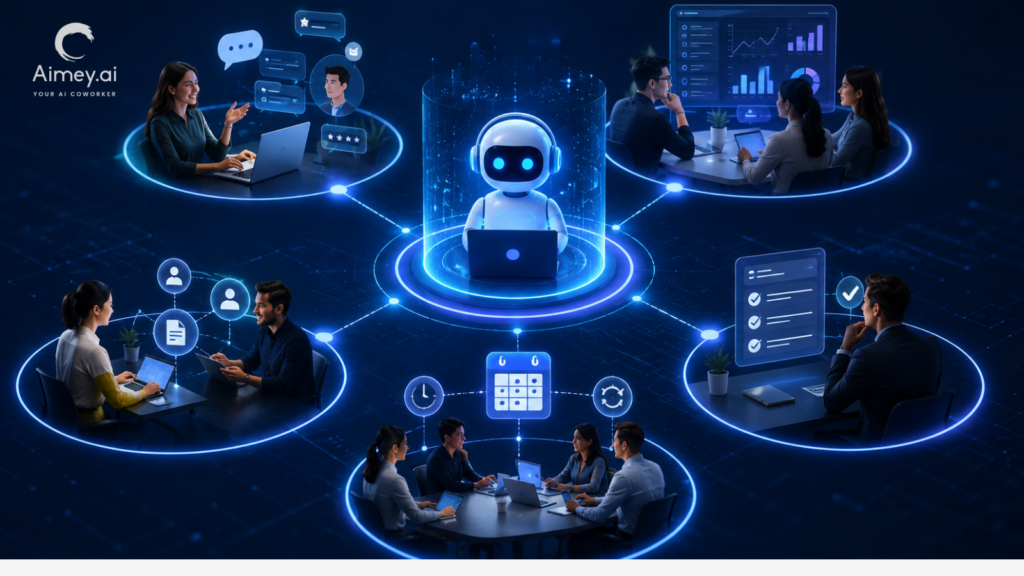
AI automation is no longer limited to enterprise R&D teams or experimental pilot projects. Businesses of every size are now using AI to reduce repetitive work, improve operational speed, and help teams focus on higher-value decisions instead of administrative tasks. The key to successful AI adoption is starting with workflows that already consume time, follow repeatable patterns, and create operational bottlenecks. Automating the right processes first delivers faster ROI, cleaner data, and stronger internal adoption. At Aimey Development, many of our current AI initiatives focus on practical workflow automation across communication, project management, CRM systems, approvals, reporting, and operational coordination. Here are the five workflows that typically generate the fastest impact when automated with AI. 1. Email and Communication Management Most organizations lose significant productivity to email triage, follow-ups, reminders, and message coordination. AI can dramatically reduce that overhead by automatically organizing, summarizing, routing, and responding to communications — detecting action items, creating tasks, drafting replies, routing requests to the right department, scheduling follow-ups, and escalating unresolved conversations. Practical example: A sales email arrives requesting a product demo. AI automatically extracts the customer name and company, creates a CRM lead, assigns a follow-up task, suggests meeting times, drafts a response email, and updates the sales dashboard. Productivity gains: Faster response times Reduced manual data entry Improved lead tracking Lower risk of missed follow-ups Better customer experience This is often the best first automation because the value is visible immediately across the organization. 2. Task and Project Management Automation Project coordination is filled with repetitive administrative work: assigning tasks, updating statuses, chasing deadlines, summarizing meetings, and escalating blockers. AI agents can automate much of this operational management — including task-chaser workflows, calendar and reminder automation, cross-tool project synchronization, and approval workflows. Practical example: After a meeting ends, AI generates meeting notes, identifies action items, assigns responsibilities, creates tasks in Asana, Monday.com, or Jira, sets deadlines, sends reminders, and escalates overdue items automatically. Productivity gains: Less administrative coordination Faster project execution Improved accountability Better visibility into project health Reduced project delays Organizations often discover that AI project coordination removes hours of weekly operational overhead from managers and team leads. 3. CRM and Sales Workflow Automation Sales teams spend too much time updating systems instead of selling. AI-powered CRM automation solves this by continuously updating records, managing follow-ups, and monitoring customer engagement — including HubSpot integrations, autonomous agents, deal updates, and customer onboarding logic. Practical example: When a prospect interacts with a website or email campaign, AI scores the lead, updates CRM records, recommends the next action, triggers personalized outreach, schedules follow-up reminders, and notifies account owners of engagement spikes. AI can also summarize customer histories before meetings, reducing prep time for sales reps. Productivity gains: Higher lead conversion rates Cleaner CRM data Faster sales cycles More consistent follow-up execution Increased sales team efficiency For many businesses, CRM automation becomes one of the highest-ROI AI implementations because it directly impacts revenue generation. 4. Document Processing and Knowledge Management Businesses constantly process invoices, reports, contracts, forms, PDFs, spreadsheets, and internal documentation. AI can automate extraction, classification, summarization, and routing of this information — spanning SharePoint workflows, OneNote integration, dynamic document matching, and AI FAQ systems. Practical example: A vendor invoice arrives via email. AI extracts the invoice data, validates vendor information, matches purchase orders, flags inconsistencies, routes for approval, and updates accounting systems. Similarly, AI can search internal documentation and instantly answer employee questions without manual searches. Productivity gains: Faster document processing Reduced human error Better information accessibility Improved compliance tracking Lower administrative workload This workflow category is especially valuable for operations, finance, HR, and legal teams. 5. Scheduling, Booking, and Operational Coordination Scheduling sounds simple until organizations scale. Meetings, cancellations, booking changes, resource allocation, reminders, and calendar conflicts consume large amounts of operational time. AI scheduling automation — booking workflows, cancellation handling, calendar agents, and rollover logic — can coordinate these processes continuously without manual oversight. Practical example: A customer requests a service appointment. AI checks staff availability, reserves resources, sends confirmations, updates calendars, handles cancellations, reassigns schedules dynamically, and notifies affected teams automatically. Productivity gains: Fewer scheduling conflicts Reduced coordination effort Better customer experience Faster operational response times Higher resource utilization Businesses in healthcare, consulting, field services, recruiting, and customer support often see immediate improvements from scheduling automation. How to Decide What to Automate First The best workflows for AI automation usually share three characteristics: High repetition Clear decision patterns Significant time consumption Start with workflows that already create measurable friction. The goal isn’t to replace employees — it’s to remove repetitive operational work so teams can focus on strategy, creativity, customer relationships, and growth. Successful organizations also begin with “assistive AI” before moving into fully autonomous systems. Human review and approval layers remain important, especially for customer-facing or financial workflows. Final Thoughts AI automation works best when it solves operational problems that employees already experience every day. Businesses often fail with AI because they start too large or pursue highly experimental use cases before optimizing core operations. At Aimey Development, our active initiatives reflect this transition toward intelligent workflow automation, proactive AI execution, cross-platform coordination, and autonomous operational assistance. The broader trend is clear: organizations that automate repetitive workflows early will move faster, operate leaner, and scale more efficiently in the years ahead.
AI Co-worker vs Virtual Assistant: What’s the Real Difference?
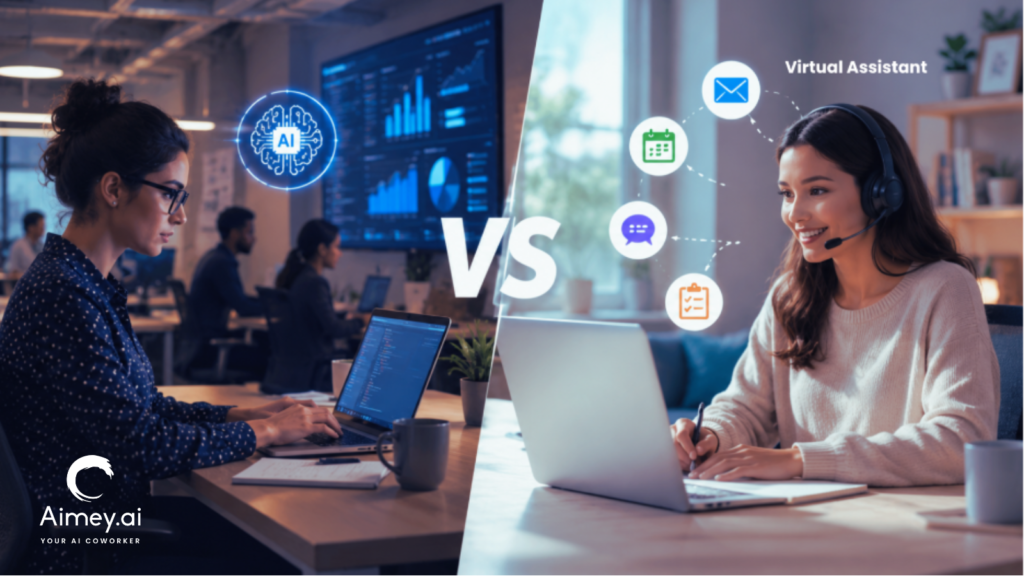
For years, businesses have been using virtual assistants to manage schedules, coordinate communication, and handle administrative work. Simultaneously, the arrival of AI in the workplace has introduced a new breed of tools that can participate in workflows, perform tasks, and enable execution across systems. This resulted in many teams asking a simple question: at what point does a virtual assistant end and an AI co-worker start? In this article, we’ll explore the scope of both, how they fit into day-to-day operations, and where each brings value inside a modern business. What Are Virtual Assistants and AI Co-workers? Virtual assistants and AI co-workers share the load of operational work but in different ways. One provides a human helping hand with administrative and coordination work. The other supports workflows with automation and system connectivity. What Is a Virtual Assistant? A Virtual Assistant is a remote worker who assists organizations with mundane work, including scheduling, inbox management, client communication, data input, and administrative coordination. Virtual assistants also manage problems that demand judgment, prioritization, and direct engagement with people. For instance, a virtual assistant may organize executives’ schedules, handle conversations with clients, or plan travel. What Is an AI Co-worker? An AI co-worker helps teams keep on top of tasks after the discussion. It can take notes from meetings, track action items, send reminders, and keep information structured across tools and systems. For example, an AI co-worker can prepare a summary of a project meeting, describe the next steps, assign responsibilities, and make sure that all the people involved are on the same page with the actions to be taken. Here’s the simplest way to think about it: a virtual assistant helps people stay organized; an AI co-worker helps workflows keep structured. AI Co-worker vs Virtual Assistant: Side-by-Side Comparison Virtual assistants and AI co-workers both help teams stay organized and productive. The difference lies in the type of work they support and how they operate within the business. Area Virtual Assistant AI Co-worker Primary Role Handles assigned tasks Owns workflow execution Operating Style Reactive Proactive Context Awareness Limited to the current request Understands projects, history, and dependencies Workflow Integration Human-led coordination Connects email, calendar, CRM, tasks, and documents Decision Support Limited Suggests priorities and next steps Visibility Manual updates Progress tracking and execution visibility Availability Working hours 24/7 Scalability Requires more hires Scales across teams Human Judgment High Limited Best For Administrative support Team and operational productivity Where Virtual Assistants Still Add More Value AI can take a lot of routine work off a team’s plate, but there are still some responsibilities that need a person behind them. Virtual assistants often make more sense when the work involves judgement, conversations, or managing relationships. Here are some examples: 1. Administrative Assistant Most leaders don’t have two days that look the same. Priorities change, meetings get rescheduled, and urgent requests appear out of nowhere. A virtual assistant can help keep everything on track and manage the coordination that comes with a busy schedule. 2. Stakeholder Communications There are some conversations that require more than a template response. Whether it is a client, vendor, or senior leader. Virtual assistants can read the room, adjust their tone, and talk appropriately. 3. Sensitive Issues Discretion and good judgment are often needed on issues involving employees, confidential information, or internal challenges. In these situations, there is not always a process, and this is why human involvement is important. 4. Relationship Management Consistent communication and follow-through are critical in building strong business relationships. Virtual assistants often maintain those relationships by talking to clients, partners, and internal stakeholders. Where AI Co-workers Deliver More Value AI teammates excel where consistency, visibility and operational follow-through are needed. They help teams stay going, without the administrative burden. Typical instances are: 1. Follow-Through on the Meeting After each meeting, an AI co-worker can take notes, note action items, assign owners, and track progress. 2. Workflow Coordination Tasks often hop from project tools to calendars to communication tools to business systems. An AI co-worker links those workflows. 3. Standardizing Processes Teams thrive on consistent documentation, systematic updates, and repeatable processes. AI processes help keep consistency across departments. 4. Tracking Tasks Teams thrive on consistent documentation, systematic updates, and repeatable processes. AI processes help to ensure consistency between departments. 5. Monitoring Work Until Completion AI co-workers continue tracking progress after the meeting ends. They can identify overdue actions, surface stalled work, and remind owners before deadlines slip. 6. Transparency across functions Projects tend to have more than one team. AI colleagues help keep information consistent across teams and eliminate status-chasing. What Works at Each Business Stage The ideal combination of human support and AI depends on the volume and complexity of the job being performed in the business. 1. Small Businesses Begin with an AI co-worker. Most teams at this point do not require further administrative support. They need support with taking notes for meetings, tracking tasks, doing follow-ups, and day-to-day coordination. An AI co-worker can do much of this at a fraction of the expense of employment. 2. Growing Businesses You’ve probably come to the realization that workflow automation isn’t the answer anymore. Projects attract more stakeholders, consumer communication increases, and the operational responsibilities become harder to manage. This is where a virtual assistant may help with coordination and follow-through. An AI co-worker can handle documentation, reminders, and task management. 3. Scaling Business Use both. The sheer volume of meetings, projects, and cross-functional activity sometimes exceeds what managers should be tracking by hand. The virtual assistant is centered on communication and coordination. The AI co-worker takes care of execution, follow-ups, and workflow visibility. 4. Larger Organizations Embed AI in all important workflows. At this point, the question is not AI co-worker vs. virtual helper. The question is: how can you divide up the job efficiently? AI co-workers handle boring operational work, and humans focus on decision-making, managing stakeholders and business priorities. How Are AI Co-workers Changing Workplace Productivity The first wave of AI in the workplace