
How to Use AI with HubSpot to Automate CRM Workflows
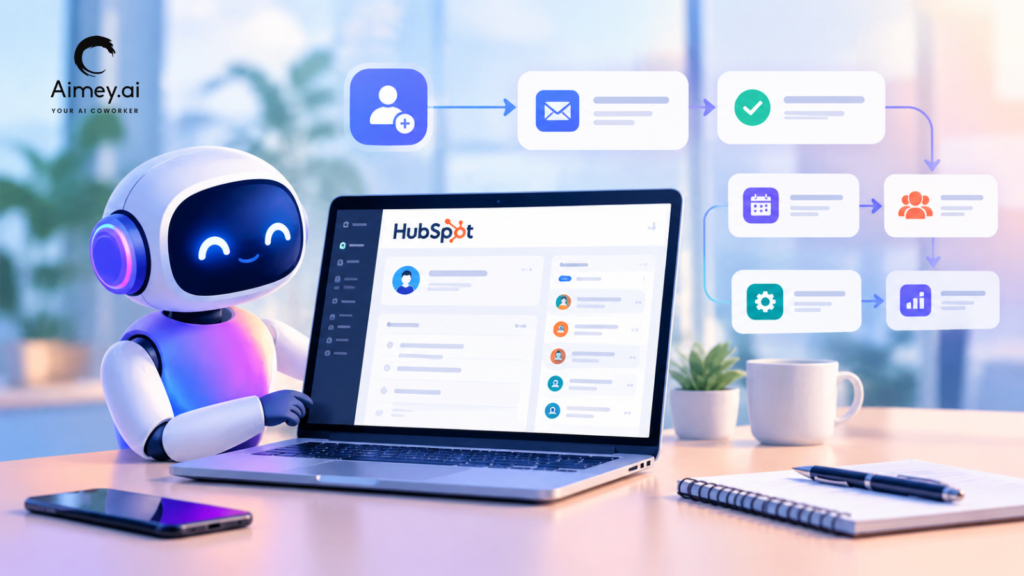
Most CRM problems aren’t caused by missing features. They come from inconsistent execution. A rep finishes a call and doesn’t move the deal stage. A lead lands with the wrong owner because the routing rules were written two reorganizations ago. The customer’s real objections live in a meeting recording nobody will rewatch. Duplicate contacts pile up, and by the end of the quarter, nobody fully trusts the pipeline report. HubSpot workflows solve part of this, but they depend on someone keeping the inputs clean. Using AI with HubSpot addresses the other part: it reads conversations, summarizes interactions, fills in records, and triggers the next step based on what actually happened. The point isn’t to take people out of the process. It’s to take the CRM maintenance off their plate. Why Traditional CRM Workflows Still Require Manual Work HubSpot workflows are rule-based. If a form is submitted, assign the lead. If a deal enters a stage, send an email. If a property changes, notify the owner. Those rules are reliable, but only when the data that feeds them is entered correctly and on time. In practice, much of that data starts out unstructured. It sits in a call, an email reply, or a calendar invite. Turning it into a property value is still someone’s job: writing the meeting summary, updating the contact, logging the follow-up, deciding which leads deserve attention today. There’s a second problem too. As teams add more workflows to cover more cases, the workflows themselves get harder to maintain. Rules overlap, conditions drift out of date, and nobody is sure which one fired. More rules alone don’t fix this. What AI Adds to HubSpot Automation AI fills the gap between what happens in a sales conversation and what HubSpot workflows can act on. In practice, it works in three stages. First, it reads unstructured inputs: transcripts, emails, notes, and activity history. Next, it turns them into structured outputs such as a summary, a property value, a priority flag, or a suggested task. Finally, it writes those outputs back to HubSpot, where your existing workflows take over. HubSpot AI covers a growing share of this inside the CRM. Many teams also connect an external platform when the work spans other systems. Aimey.ai, for example, connects HubSpot with Microsoft 365, meeting platforms, and project tools, so one event can update the deal, create a task, and draft an email in Outlook. The principle stays the same either way: AI does the interpreting, HubSpot does the executing, and people keep the judgment calls. Practical Ways to Use AI with HubSpot Automatically Summarizing Customer Interactions Today, a rep runs the call, scribbles partial notes, and promises to update HubSpot later. Objections get lost, and the deal record says little more than “demo done.” Aimey.ai can turn the transcript into structured meeting summaries covering decisions, concerns, action items, and owners, then log them to the matching contact, company, and deal records. Managers get pipeline context without asking for it, and reps get back the time they would have spent writing notes. Pricing discussions and sensitive conversations are worth a quick human check before anything is logged. Updating CRM Records Records go stale because reps reasonably put customers ahead of data entry. AI can pick up the details that matter from emails and meetings, such as a new decision-maker, a confirmed next meeting, or a product area of interest, and propose updates to HubSpot properties. You decide how much is automatic. Low-risk fields can be written directly. Deal amount, close date, and stage changes can wait in a review queue for the owner. RevOps gets cleaner reporting without depending entirely on rep discipline. Lead Qualification and Behavior-Based Triggers Static lead scoring counts actions: an opened email, a visit to the pricing page, a form fill. It can’t read intent. A reply asking about rollout timelines and security reviews says far more than three page views. AI can assess the content of inbound messages and early conversations, then write a priority signal or a short intent summary to a HubSpot property. Workflows can trigger on that property the same way they trigger on any other. SDRs work the strongest leads first. Keep reviewing the outputs, because AI can misread tone, especially in long B2B cycles. Lead Routing Routing rules break as companies grow: overlapping territories, industry specialists, named enterprise accounts, existing customers submitting new forms. AI can weigh account ownership, past engagement, industry, and company size together, then pass a suggested owner into a HubSpot workflow. An existing customer asking about expansion can skip SDR qualification and go straight to their account manager. Log the reason for each assignment so RevOps can fix bad patterns. Contact and Company Data Enrichment Incomplete records hurt segmentation, scoring and area planning. AI is able to bridge gaps in the data it can observe, like titles in email signatures, responsibilities discussed in meetings, and company info from linked sources. It can also indicate potential duplicates. AI, to be fair, can’t generate credible firmographics, like headcount, without a data source behind it; therefore, link it with an enrichment provider for those categories. Keeping merges and modifications to high-value accounts manual is another part of protecting CRM data quality. Examples of AI-Powered CRM Workflows The use cases above become most valuable when they’re chained into workflows. The same pattern applies to AI-powered backend workflows beyond sales, but these are the ones most HubSpot teams start with. Follow-Ups and Task Creation After a Demo Reps often go straight from one call into the next, and the recap email slips to tomorrow. Aimey.ai can draft the recap from the meeting transcript, including the specific questions raised, and create the follow-up tasks in HubSpot with owners and due dates. HubSpot workflows then handle reminders and flag the deal if the customer goes quiet. The rep reviews the email before it goes out, because outbound messages carry the relationship. Personalized Outreach Generic sequences are easy to ignore. AI can draft re-engagement, renewal, or account-based
8 Agentic AI Use Cases in Supply Chain Management

Supply chains make thousands of decisions every day. A demand increase, supplier delay, stockout risk or late shipment can cause a chain of manual checks and follow-ups. Gartner expects that by 2030, 50% of cross-functional supply chain management solutions will use intelligent agents to make decisions on their own. Agentic AI is able to track supply chain data, evaluate exceptions, determine what to do next, and carry out approved processes across connected systems. This article discusses eight use cases for agentic AI in the supply chain and where the technology can generate measurable operational value. What Is Agentic AI in Supply Chain Management? Agentic AI is software agents which watch data, think and decide, act and escalate exceptions within stated rules. In supply chain management, agents can interface with ERP, WMS, TMS, procurement, and planning systems. They can detect issues like demand increases, stock-outs, supplier delays, or shipment exceptions and activate the correct procedure. For example, an inventory agent can detect a projected stockout, review demand and supplier lead times and suggest or execute a replacement per rules. 8 High-Impact Agentic AI Use Cases in Supply Chain Agentic AI makes sense in parts of the supply chain where teams need to deal with massive volumes of data, react to exceptions, and make rule-based choices. What does that mean across eight important functions: 1. Demand Sensing and Demand Forecasting The forecast is rarely right for all SKUs and all regions. Promotion could abruptly raise orders in one market. One competitor might steal demand from another. The mix can also change with a new sales channel. How does the AI Agent operates: The agent looks at order history, current sales, promotions, inventory levels, and outside demand signals. It compares these to the previous forecast to identify noteworthy changes. When the data shows a change, it can update the projection, identify SKUs to pay attention to, and push approved adjustments into the planning process. Human intervention: Planners step in and assess large adjustments when the facts aren’t confident enough. 2. Inventory Replenishment Reordering stock is not as easy as just glancing at what you have at hand. Also examine the demand velocity, safety stock levels, supplier lead times, open POs, inbound shipments and inventory in other locations. How the AI agent operates: The agent monitors the stock levels and the demand that is expected. When it detects that stock might be running low, it looks at what has been ordered, what is on the way, and what providers are actually able to supply. And then it figures out what has to be replaced. It might recommend creating a new purchase order, moving stock from another warehouse, or marking the problem if demand can’t be met with supply on hand. Human intervention: Buyers get involved when an order exceeds a certain limit or violates standard buying practices. 3. Supplier Monitoring Supplier performance might go down the toilet before it is noticed on a monthly scorecard. Some late acknowledgements, missed milestones, quality difficulties, capacity issues or sudden changes in lead time can be early warning indications that a supplier is in trouble. How the AI agent operates: The agent follows supplier confirmations, POs, delivery dates, quality records, lead times, and supplier messages. It looks for recurring problems, sees the pattern and what that could mean for production or inventories. It can also follow up on routine concerns and request suppliers to provide a new delivery commitment. Human intervention: If the problem needs negotiation, a revision to the contract or escalation with a strategic supplier, then the procurement teams take over. 4. Procurement Automation Procurement teams are always dealing with a constant stream of RFQs, PO follow-ups, supplier questions, approvals, and invoicing difficulties. Many of these mundane operations in the source-to-pay process can be handled by an AI agent. How the AI agent operates: The agent evaluates each purchase request against approved suppliers, budgets, price standards, and contract requirements. It flags if anything is missing. It can submit RFQs, collect and compare supplier quotations, deliver requests to the correct approver, and maintain procurement records up to date. It also alerts when a price seems odd, or a purchase defies the rules. Human intervention: Strategic sourcing, non-standard buys and policy exclusions – buyers still make the calls. 5. Shipment and Logistics Exception Management There are several reasons why shipments can be delayed. The carrier could be late, customs could detain it, a handoff could be missed, or a route could go out of service unexpectedly. And once that happens, someone normally has to chase up information, call the carrier, check the delivery commitment and figure out what to do next. How the AI agent operates: The agent monitors TMS changes, carrier feeds, GPS data, delivery milestones, and client promises. When something goes wrong, it tracks how the delay affects the cargo and its SLA. It can identify orders that are in danger, call the carrier, keep the proper people posted, offer an alternate route, and engage a member of the logistics team when a decision requires a human touch. Human intervention: The team will intervene when the call has higher cost or customer impact, e.g. changing carriers, approving an expensive reroute or giving a new delivery date. 6. Supply Chain Risk Monitoring Supplier instability, geopolitical events, weather, port congestion, regulatory change, or abrupt capacity restrictions can all lead to supply chain risk. Teams require early signals related to their real supply network. How the AI agent operates: The agentic AI Coworker checks supplier data, shipping status, inventory exposure, external risk feeds, and network dependencies. It associates an outside incident with affected suppliers, lanes, SKUs or facilities and quantifies the possible operational effect. It can then highlight exposed orders, suggest mitigation actions, and reroute high-risk situations to the correct owner. Human intervention: Major sourcing, inventory, or network modifications are determined by supply chain leaders. 7. Order Management and Customer Exceptions It can be easy for exceptions to order to become a cross-team problem. For example, a delayed
AI Safety Best Practices for Managers in the Workplace

AI can help managers reduce repetitive work, organize information, prepare for meetings, and keep teams moving. But using AI effectively at work is not just about knowing the right prompts or tools. Managers also need to understand how to use AI safely, what information should and shouldn’t be shared, and where human judgment remains essential. In Part 1 of this guide, How to Use AI at Work (Manager Guide): 14 Prompts + Safety Tips, we covered practical ways managers can use AI to handle everyday tasks, from summarizing meetings and preparing stakeholder updates to creating project plans and identifying risks. Now, in Part 2, we’ll focus on the other side of AI adoption: using AI responsibly and safely at work. We’ll cover practical AI safety tips for managers, where AI meeting assistants and transcription tools fit into workplace workflows, and how managers can evaluate AI tools for their teams. The goal isn’t to avoid AI – it’s to use it with the right guardrails, oversight, and understanding. AI Safety Tips for Managers There are a few ground principles that are worth keeping in mind. 1. Don’t Share Confidential Information Customer data, personnel files, financial information, and confidential corporate discussions should not be put into public AI tools. varying platforms have varying rules around data, so it’s important to understand what protections are in place before you share anything important. 2. Check Facts Before You Use Them Sometimes AI makes errors, and it doesn’t always make its mistakes obvious. Before you include figures, dates, sources and calculations into a report or presentation, take a minute to check them. 3. Provide Clear Direction to Teams People need to understand where AI can help, and when human assessment is needed. A few simple principles can go a long way to keeping everyone on the same page. 4. Remember That AI Doesn’t Replace Judgment AI can help with research, planning and analysis, but the subsequent decisions are still for people to make. Hiring, performance reviews, compensation, legal, and customer promises require human judgment. 5. Tools Built for Business Business-grade AI platforms generally have more rigorous controls over privacy and access. Managers need to understand the underlying principles of how their company’s AI systems store and process information. 6. Look for Bias and Missing Context AI is built on patterns. It doesn’t have experience or background, and occasionally it misses the nuances that people get. The product is not to be taken at face value but rather something to be reviewed and discussed. Artificial intelligence can be useful if used responsibly. But problems can occur if teams blindly rely on it. At the end of the day good habits and clear expectations make all the difference. Common AI Mistakes Managers Should Avoid in the Workplace Many teams fail at AI because they expect too much of it or use it without clear guardrails. Here are some manager blunders to avoid. 1. Expecting AI to Substitute Expertise AI can summarize, organize, and recommend. It can’t replace experience, context, or accountability. Managers still have to make decisions and own the outcomes. 2. Using Vague Prompts Prompts like “summarize this” or “help me with this project” usually result in substandard outcomes. AI works better if it knows who it is talking to and what it is trying to do, and what form it is supposed to take. 3. Accepting Every Answer AI can confidently make inaccurate statements. Please treat the outputs as suggestions and recommendations and not facts. 4. Too Many AI Workflows Being Built Teams sometimes pick several tools without a clear reason. This adds more complexity, not less. Begin with a handful of high-value workflows and build from there. 5. Governance and Security Ignored Productivity, not privacy, should be a concern. Managers need to know what information may be shared with AI tools and what information cannot. 6. Success Through Use The point isn’t to use AI as much as you can. The idea is to eliminate friction, improve execution, and free up time for tasks that require human judgment. The teams that receive the most benefit from AI focus on outcomes, not novelty. Where AI Meeting Assistants and AI Transcription Fit In Notes get left behind, essential action items are missed, and teams waste time trying to piece together conversations after the fact. This is where AI Meeting Assistants and AI Transcription come in. 1. Minutes of Meeting AI meeting assistants can record the conversation and produce clear summaries that are easy to publish. If a team member misses a meeting, they don’t need to watch the entire tape to catch up. 2. Action Items & Follow-Ups Commitments are often made at the end of meetings, but the obligations may become vague. AI brings tasks to the surface, assigns owners and makes the next actions evident long after the conversation has ended. 3. Searchable Records AI transcription provides a reliable record of every conversation. Teams can revisit decisions, look up specifics, and discover information without needing to remember. 4. Sharing Knowledge There’s a lot of good contexts in meetings. Summaries and transcripts make such knowledge available to others who weren’t in the room and help keep it over time. 5. Cross-team Alignment Sales, operations, engineering, and customer success teams typically use the same information. Shared meeting minutes provide a single source of truth for everyone, not notes and updates dispersed across several systems. Meeting assistants doesn’t replace talks. They enable teams to collect, share, and act more effectively. For managers, that means more time on the admin job and fewer details sliding through a void. How Aimey.ai Helps Managers Use AI at Work Managers don’t need another management tool. They have less noise to distract them from important work. Aimey.ai works with your team to capture conversations, track next steps, and help everyone stay aligned, without extra work. 1. Record All Important Conversations Aimey also joins scheduled meetings automatically and transcribes the discussions in real time so managers can focus on what’s being
How to Use AI at Work (Manager Guide): 14 Prompts + Safety Tips

AI at Work for Managers: A 2-Part Guide Part 1 of 2 Managers spend a lot of time in meetings, emails, status updates, and follow-ups. AI can help a great deal with that job. In fact, 85% of firms today are using AI in at least one business activity, according to McKinsey. That doesn’t mean the AI replaces managers. This allows them to spend less time on regular work and more time on planning, coaching, and decision-making. In this article, we’ll explore how managers can practically use AI at work, the prompts managers can use today, and some safety considerations to keep in mind. Why Are Managers Using AI at Work Managers spend most of the day keeping things on track. Meetings generate follow-ups, projects require progress updates, and teams depend on quick decisions. AI helps take a piece of that load off, freeing up managers to spend more time on strategy, coaching and leading their people. Here’s why more managers are embracing AI on the job: 1. Reduce administrative work Managers spend hours each week taking notes, sending emails, and preparing updates. AI is doing a lot of busy work and gives you more time to do the things that need attention. 2. Sharpen follow-through Action items can easily get lost in the shuffle after a meeting. AI helps in capturing crucial lessons, assigning next steps and keeping projects moving forward. 3. Please keep the information in order Important information is often scattered between emails, documents, chats, and meetings. AI helps to tie it all together so managers can find what they need without wasting time. 4. Speed up daily tasks AI lets managers execute basic jobs without starting from scratch – from preparing meeting agendas to composing status updates. 5. Develop More Reliable Processes Structure notes, reports and documentation, and improve the work of teams. AI helps get that consistency across projects and divisions. AI isn’t designed to eliminate expertise or judgment. They use it to spend less time on monotonous tasks and have more time to support their teams and make better decisions. How to Use Generative AI at Work Effectively A lot of the value you receive from AI is in how you use it, not which tool you use. Managers who receive good results from AI do not see it as a silver bullet. They use it to support how they already work. Here are some methods to do more using AI at work: 1. Begin with repeated tasks AI is at its best when it takes care of the job you do over and over. Meeting notes, status updates, agendas and rough first drafts are all useful starting points. 2. Give it an adequate background The AI can only work with the data you provide it. Tell it what you want to accomplish, who you’re doing it for, and anything else you want it to remember. Usually, a little more context may go a long way. 3. Have a look through the output AI can make mistakes. Sometimes the mistakes are clear. Sometimes they are not. Verify the facts, data, and details before discussing anything with clients, leaders, or teammates. 4. AI to support decisions, not to make decisions AI can help you think through ideas and organize information, but it doesn’t know your team’s history, or the trade-offs behind every choice. That aspect is still up to you. 5. Create prompts for regular activities Much of the work is copied. If you’re writing the same project updates, running one-on-ones, or prepping meeting agendas every week, save the prompts that work. It saves time and helps to keep everything uniform. 6. Think of the entire procedure The largest benefits tend to be about enhancing an entire workflow, not just a single activity. For example, AI meeting assistant is capable of more than just taking notes. It can pull out action items, summarize choices, and speed up follow-ups. Also Read: Aimey vs Fireflies: Comparing Meeting Notes, Agendas, and Automation 14 Ways to Use AI at Work AI is best used to take repetitive work off a manager’s plate. It’s not about automated leadership. It means less time doing admin work and more time doing execution, coaching and decision-making. Here are 14 ways managers can put AI to work in a pragmatic way. 1. Summarizing Meetings and Documenting Action Items Managers may have spent the majority of their week in meetings, but the real work begins when the meeting ends. Teams need clarity on decisions, ownership, and what to do next. Without a reliable process, action items can get lost in notes or simply forgotten. AI can pore over meeting transcripts, identify key decisions, uncover open questions, and consolidate follow-ups into an organized summary. This creates a common understanding and decreases the time spent on reconstructing conversations. For example, a department head can summarize a weekly leadership meeting and distribute decisions, owners, and deadlines to stakeholders in minutes. Here’s how the prompt would look: 2. Prepare Stakeholder Updates Stakeholders need to see progress, risks, and priorities. It often takes longer than managers think to get those updates prepared. AI can turn project notes, meetings and status reports into quick updates for executives, customers, or internal teams. This helps managers communicate uniformly without spending hours writing reports. A Project Manager can transform weekly notes into an Executive Update that captures accomplishments, risks, and upcoming milestones. Here’s how the prompt would look: 3. Be Ready for One-On-One Meetings Managers who don’t have time to prepare often turn one on ones into status reviews. Important discussions on development, motivation, and support are assigned to the back seat. AI can help managers find discussion topics, summarize recent successes, and offer questions that lead to meaningful conversations. Prior to a monthly check-in, a manager can review recent project activity to prepare talking points about workload, growth, and challenges. Here’s how the prompt would look: 4. Develop Project Plans Big initiatives often begin with ideas floating around in emails, meetings, and
How Can AI Agents Automate Repetitive Work for Managers in 2026?

Managers are spending more time coordinating work than actually leading it. Between meetings, approvals, follow-ups, reporting, scheduling, CRM updates, and communication management, modern management roles are increasingly dominated by operational overhead. In 2026, AI agents are changing that reality. Instead of acting like simple chatbots or isolated automation tools, modern AI agents can monitor workflows, trigger actions proactively, coordinate across business systems, and assist managers with ongoing operational execution. The shift isn’t just about saving time — it’s about creating a more scalable management model where repetitive coordination work is handled continuously by intelligent systems. Across Aimey Development initiatives, many current projects already reflect this transition toward agentic workflow automation, proactive execution planning, task-chasing systems, communication agents, reporting agents, and autonomous operational coordination. Here’s how AI agents are expected to automate repetitive managerial work in 2026. 1. AI Agents Will Manage Task Coordination Automatically One of the largest drains on management productivity is task coordination. Managers constantly assign work, follow up on deadlines, update project systems, monitor blockers, and chase incomplete tasks. AI task agents can now automate much of this process. Current Aimey Development initiatives already include AI-driven task chaser workflows, planning agents, communication agents, workflow execution testing, and cross-platform PM synchronization. Instead of manually checking project boards every day, managers can rely on AI agents to: Monitor deadlines continuously Detect stalled tasks Send reminders automatically Escalate overdue work Generate progress summaries Reassign work dynamically Create tasks from meetings or emails Practical example: After a project meeting, an AI agent automatically generates notes, extracts action items, assigns tasks in Monday.com or Asana, schedules reminders, and sends status updates to stakeholders without manager intervention. Expected productivity gains: reduced administrative workload, faster task completion, better accountability, improved project visibility, and less manual follow-up work. 2. AI Agents Will Handle Email and Communication Overload Email remains one of the biggest productivity bottlenecks for managers. Sorting requests, prioritizing conversations, scheduling responses, and coordinating internal communication consumes hours every week. Aimey Development projects already reference email parsing workflows, communication agents, Outlook integration, Slack workflow development, and voice-to-task systems. In 2026, AI agents can: Prioritize important emails Draft contextual responses Create tasks from conversations Route requests to the correct teams Detect urgency automatically Summarize long email threads Schedule follow-ups proactively Practical example: A client sends a project escalation email. The AI agent identifies the issue, checks project status, drafts a response, creates internal escalation tasks, updates the project dashboard, and alerts the responsible team lead immediately. Managers remain in control, but the coordination effort is significantly reduced. 3. AI Agents Will Automate Scheduling and Calendar Management Scheduling meetings, resolving conflicts, managing cancellations, and coordinating availability are repetitive but essential management tasks. Aimey Development has explored Outlook calendar integration, calendar agents, booking workflows, cancellation handling, and voice-enabled scheduling. Instead of manually coordinating schedules, AI agents can: Find optimal meeting times Resolve scheduling conflicts Coordinate across departments Automatically reschedule canceled meetings Send reminders and preparation notes Generate agendas before meetings Create post-meeting summaries Practical example: A manager requests a quarterly review meeting. The AI agent checks availability across leadership teams, books meeting rooms, distributes agendas, pulls relevant dashboards, and prepares summary reports before the meeting begins. This reduces operational coordination while improving meeting quality. 4. AI Agents Will Streamline Approval Workflows Managers spend significant time reviewing approvals for budgets, documents, workflows, purchases, and operational requests. AI approval agents help automate low-risk decision routing while maintaining human oversight. Several Aimey Development initiatives already focus on approval workflow logic, configurable approval levels, human-in-the-loop execution models, and permission and delegation systems. In practice, AI agents can: Validate requests against company policies Identify missing information Recommend approval decisions Escalate exceptions automatically Route requests based on authority levels Track approval bottlenecks Practical example: An employee submits a purchase request. The AI agent checks budget limits, validates vendor status, reviews approval history, and either auto-approves the request within predefined rules or escalates it to the appropriate manager. Managers only intervene when strategic judgment is required. 5. AI Agents Will Generate Reports Automatically Managers spend large amounts of time collecting data, preparing updates, and generating operational reports. AI reporting agents are making this process increasingly autonomous. Aimey Development workflows already reference reporting agents, dashboard creation, knowledge management automation, and SharePoint/OneNote integrations. Instead of manually collecting information from multiple systems, AI agents can: Pull live operational metrics Generate executive summaries Highlight risks and delays Compare trends automatically Create visual dashboards Deliver scheduled updates proactively Practical example: Every Monday morning, a manager receives an automatically generated report summarizing project status, overdue tasks, revenue changes, customer escalations, and team productivity metrics pulled from multiple business systems. The reporting process becomes continuous instead of manual. 6. AI Agents Will Coordinate Across Multiple Business Platforms Managers often operate across disconnected systems, including CRM platforms, project management tools, email systems, calendars, spreadsheets, and communication platforms. AI agents are increasingly becoming orchestration layers between these tools. Current Aimey Development efforts already involve integrations with HubSpot, Asana, Monday.com, Slack, Outlook, SharePoint, OneNote, and Microsoft Planner. AI agents can synchronize actions across systems automatically. Practical example: A new sales opportunity in HubSpot automatically triggers project planning tasks in Asana, schedules onboarding meetings in Outlook, updates Slack notifications, and generates reporting entries for management dashboards. This removes manual duplication and reduces operational fragmentation. 7. Managers Will Shift From Operators to Supervisors of AI Systems The role of managers is changing. In 2026, managers are less likely to spend time on repetitive coordination and more likely to supervise AI-driven operational systems. Instead of manually executing workflows, managers increasingly: Review AI recommendations Approve exceptions Adjust workflow rules Monitor performance metrics Focus on strategic decisions Manage human relationships and leadership This human-plus-agent model is becoming the dominant approach because fully autonomous systems still require governance, oversight, and escalation controls. Aimey Development initiatives repeatedly emphasize human-in-the-loop approvals, configurable logic, workflow testing, monitoring, and operational transparency — all critical for scalable AI deployment. Key Benefits of AI Agents for Managers in 2026 Reduced repetitive administrative work Faster operational
The 5 Workflows to Automate First With AI
AI automation is no longer limited to enterprise R&D teams or experimental pilot projects. Businesses of every size are now using AI to reduce repetitive work, improve operational speed, and help teams focus on higher-value decisions instead of administrative tasks. The key to successful AI adoption is starting with workflows that already consume time, follow repeatable patterns, and create operational bottlenecks. Automating the right processes first delivers faster ROI, cleaner data, and stronger internal adoption. At Aimey Development, many of our current AI initiatives focus on practical workflow automation across communication, project management, CRM systems, approvals, reporting, and operational coordination. Here are the five workflows that typically generate the fastest impact when automated with AI. 1. Email and Communication Management Most organizations lose significant productivity to email triage, follow-ups, reminders, and message coordination. AI can dramatically reduce that overhead by automatically organizing, summarizing, routing, and responding to communications — detecting action items, creating tasks, drafting replies, routing requests to the right department, scheduling follow-ups, and escalating unresolved conversations. Practical example: A sales email arrives requesting a product demo. AI automatically extracts the customer name and company, creates a CRM lead, assigns a follow-up task, suggests meeting times, drafts a response email, and updates the sales dashboard. Productivity gains: Faster response times Reduced manual data entry Improved lead tracking Lower risk of missed follow-ups Better customer experience This is often the best first automation because the value is visible immediately across the organization. 2. Task and Project Management Automation Project coordination is filled with repetitive administrative work: assigning tasks, updating statuses, chasing deadlines, summarizing meetings, and escalating blockers. AI agents can automate much of this operational management — including task-chaser workflows, calendar and reminder automation, cross-tool project synchronization, and approval workflows. Practical example: After a meeting ends, AI generates meeting notes, identifies action items, assigns responsibilities, creates tasks in Asana, Monday.com, or Jira, sets deadlines, sends reminders, and escalates overdue items automatically. Productivity gains: Less administrative coordination Faster project execution Improved accountability Better visibility into project health Reduced project delays Organizations often discover that AI project coordination removes hours of weekly operational overhead from managers and team leads. 3. CRM and Sales Workflow Automation Sales teams spend too much time updating systems instead of selling. AI-powered CRM automation solves this by continuously updating records, managing follow-ups, and monitoring customer engagement — including HubSpot integrations, autonomous agents, deal updates, and customer onboarding logic. Practical example: When a prospect interacts with a website or email campaign, AI scores the lead, updates CRM records, recommends the next action, triggers personalized outreach, schedules follow-up reminders, and notifies account owners of engagement spikes. AI can also summarize customer histories before meetings, reducing prep time for sales reps. Productivity gains: Higher lead conversion rates Cleaner CRM data Faster sales cycles More consistent follow-up execution Increased sales team efficiency For many businesses, CRM automation becomes one of the highest-ROI AI implementations because it directly impacts revenue generation. 4. Document Processing and Knowledge Management Businesses constantly process invoices, reports, contracts, forms, PDFs, spreadsheets, and internal documentation. AI can automate extraction, classification, summarization, and routing of this information — spanning SharePoint workflows, OneNote integration, dynamic document matching, and AI FAQ systems. Practical example: A vendor invoice arrives via email. AI extracts the invoice data, validates vendor information, matches purchase orders, flags inconsistencies, routes for approval, and updates accounting systems. Similarly, AI can search internal documentation and instantly answer employee questions without manual searches. Productivity gains: Faster document processing Reduced human error Better information accessibility Improved compliance tracking Lower administrative workload This workflow category is especially valuable for operations, finance, HR, and legal teams. 5. Scheduling, Booking, and Operational Coordination Scheduling sounds simple until organizations scale. Meetings, cancellations, booking changes, resource allocation, reminders, and calendar conflicts consume large amounts of operational time. AI scheduling automation — booking workflows, cancellation handling, calendar agents, and rollover logic — can coordinate these processes continuously without manual oversight. Practical example: A customer requests a service appointment. AI checks staff availability, reserves resources, sends confirmations, updates calendars, handles cancellations, reassigns schedules dynamically, and notifies affected teams automatically. Productivity gains: Fewer scheduling conflicts Reduced coordination effort Better customer experience Faster operational response times Higher resource utilization Businesses in healthcare, consulting, field services, recruiting, and customer support often see immediate improvements from scheduling automation. How to Decide What to Automate First The best workflows for AI automation usually share three characteristics: High repetition Clear decision patterns Significant time consumption Start with workflows that already create measurable friction. The goal isn’t to replace employees — it’s to remove repetitive operational work so teams can focus on strategy, creativity, customer relationships, and growth. Successful organizations also begin with “assistive AI” before moving into fully autonomous systems. Human review and approval layers remain important, especially for customer-facing or financial workflows. Final Thoughts AI automation works best when it solves operational problems that employees already experience every day. Businesses often fail with AI because they start too large or pursue highly experimental use cases before optimizing core operations. At Aimey Development, our active initiatives reflect this transition toward intelligent workflow automation, proactive AI execution, cross-platform coordination, and autonomous operational assistance. The broader trend is clear: organizations that automate repetitive workflows early will move faster, operate leaner, and scale more efficiently in the years ahead.
Why Are Mid-Sized Businesses Replacing Manual Workflows with AI Automation
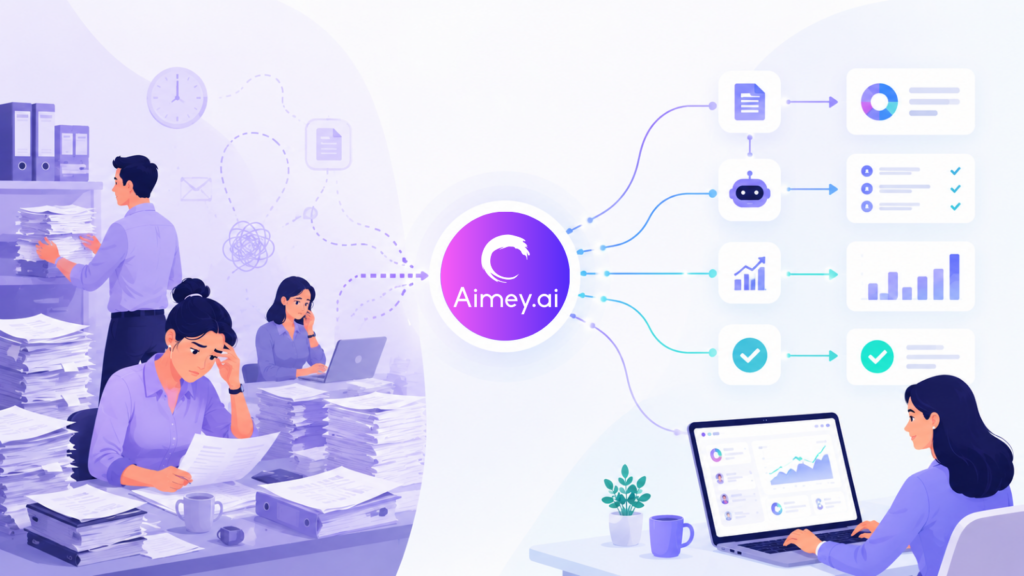
Manual work rarely looks expensive at first. A few follow-up emails, spreadsheet updates, status checks, approvals, calendar coordination, and data entry tasks seem manageable on their own. The problem starts when these tasks multiply across teams every single day. For mid-sized businesses, this operational load builds quietly in the background. Teams spend hours moving information between systems, chasing updates, correcting errors, and repeating the same administrative work every week. Research from McKinsey & Company estimates that employees spend close to 20% of their workweek searching for internal information or tracking colleagues for updates. That is a full day lost every week to operational friction. In this article, we’ll look at the hidden cost of manual processes, why mid-sized businesses feel the pressure more than larger enterprises, and how AI automation helps reduce operational overhead across teams. How Manual Tasks Affect Businesses Manual tasks create operational friction across the business. Small actions like follow-ups, spreadsheet updates, status checks, and repetitive data entry consume more time than teams realize, especially as the company grows. Here’s where the impact becomes visible: Time Gets Pulled into Administrative Work: Teams spend hours every week on updates, reminders, status checks, and repetitive coordination instead of high-value work. Approvals Move Slower: Manual follow-ups delay decisions. Tasks often sit in inboxes or chat threads waiting for someone to respond or escalate them. Errors Increase Across Workflows: Manual data entry and duplicated updates create inconsistencies across reports, schedules, customer records, and project trackers. Teams Lose Visibility: When work lives across spreadsheets, emails, meetings, and disconnected tools, it becomes difficult to track ownership and progress clearly. Employees Constantly Context Switch: People move between calendars, chat platforms, CRMs, spreadsheets, and task boards throughout the day. That constant switching reduces focus and slows execution. This is why businesses now invest more heavily in manual tasks automation. The issue is no longer just productivity. It is operational consistency across the company. Why Are Mid-Sized Businesses the Most Affected Mid-sized businesses deal with operational complexity without the infrastructure that large enterprises usually have. According to Zapier, employees spend nearly 40% of their workweek on repetitive tasks like data entry, approvals, and manual updates. Here’s where the pressure builds: Lean Operating Teams Carry Cross-Functional Workloads Operations, finance, HR, and project teams often manage overlapping responsibilities. Administrative overhead increases alongside delivery, reporting, and stakeholder coordination. Process Visibility Starts Breaking Down Informal workflows stop working once multiple departments depend on the same information flow. Teams lose visibility into ownership, dependencies, and execution status. Manual Handoffs Slow Execution Approvals, escalations, reporting, and follow-ups start depending on human intervention across every stage of the workflow. That creates operational bottlenecks. Scaling Headcount Increases Operational Cost Hiring more coordinators or administrative staff may increase throughput temporarily, but it does not solve the underlying process inefficiency. This is where AI for mid-sized businesses becomes operationally valuable. Automation helps reduce coordination overhead without forcing teams to rebuild their entire operating model. What AI Automation Means for Businesses AI automation now handles far more than repetitive rule-based tasks. Businesses use it to manage workflows, coordinate systems, reduce operational latency, and improve execution visibility across teams. Gartner estimates that by 2026, over 80% of enterprises will use AI-enabled automation in operational workflows. Here’s what AI automation looks like in practice: Meeting Intelligence and Follow-Through: AI systems can capture meeting context, extract action items, assign stakeholders, and initiate follow-up workflows without manual coordination. Cross-System Workflow Orchestration: Tasks, approvals, and updates can move between CRMs, ERPs, project platforms, calendars, and communication tools without operational handoffs. Approval Routing and Escalation Management: AI automation can monitor pending approvals, trigger escalation paths, and surface execution blockers before they affect delivery timelines. Operational Reporting: Instead of compiling updates manually across business systems, teams can generate workflow summaries and operational snapshots automatically. Administrative Process Automation: Scheduling, task tracking, documentation management, and recurring coordination workflows can run with far less operational overhead. This is why businesses now invest more heavily in business process automation instead of standalone productivity software. The value comes from process continuity, execution visibility, and reduced coordination of friction across the operating environment. Common Business Processes Companies Are Automating Most mid-sized businesses struggle because effort gets consumed by repetitive operational work that rarely scales well. As teams grow, these recurring processes quietly multiply across departments and start slowing everything down. Here’s where AI automation is being used most effectively in day-to-day business operations: Meeting notes and follow-ups: Instead of manually documenting discussions and chasing action items, AI systems now capture key points, assign tasks, and send follow-ups automatically. Task assignment and reminders: Work no longer depends on someone remembering to delegate or nudge. Tasks are distributed based on rules, priorities, and workload visibility. Invoice and approval workflows: Finance teams are reducing delays by automating invoice routing, approval chains, and payment tracking across departments. Customer support operations: Routine queries, ticket classification, and response suggestions are increasingly handled through AI-assisted workflows, reducing response time significantly. Internal reporting and status updates: Instead of manual compilation, reports are generated from live data across tools, giving leadership real-time visibility. CRM and project management updates: Data entry between systems is being replaced with automated syncing, ensuring customer and project records stay consistently updated. Together, these use cases show a clear change. Businesses are no longer automating isolated tasks. With Aimey.ai, meetings, notes, tasks, reminders, and follow-ups flow automatically across Microsoft Teams, Outlook, Planner, To Do, and OneNote without constant human coordination. Schedule a demo to see how connected workflows can run with less manual effort. How AI Automation Reduces Operational Costs Operational costs in mid-sized businesses are often not driven by large expenses, but by accumulated inefficiencies. Small delays, repeated follow-ups, and manual coordination slowly compound into significant time and resource loss. This is where AI automation creates measurable impact. Here is how AI automation directly reduces operational costs in practice: Less manual coordination: Teams no longer spend time chasing updates or aligning across departments. Systems handle communication flow automatically. Faster turnaround across workflows: Approvals,