
AI Safety Best Practices for Managers in the Workplace

AI can help managers reduce repetitive work, organize information, prepare for meetings, and keep teams moving. But using AI effectively at work is not just about knowing the right prompts or tools. Managers also need to understand how to use AI safely, what information should and shouldn’t be shared, and where human judgment remains essential. In Part 1 of this guide, How to Use AI at Work (Manager Guide): 14 Prompts + Safety Tips, we covered practical ways managers can use AI to handle everyday tasks, from summarizing meetings and preparing stakeholder updates to creating project plans and identifying risks. Now, in Part 2, we’ll focus on the other side of AI adoption: using AI responsibly and safely at work. We’ll cover practical AI safety tips for managers, where AI meeting assistants and transcription tools fit into workplace workflows, and how managers can evaluate AI tools for their teams. The goal isn’t to avoid AI – it’s to use it with the right guardrails, oversight, and understanding. AI Safety Tips for Managers There are a few ground principles that are worth keeping in mind. 1. Don’t Share Confidential Information Customer data, personnel files, financial information, and confidential corporate discussions should not be put into public AI tools. varying platforms have varying rules around data, so it’s important to understand what protections are in place before you share anything important. 2. Check Facts Before You Use Them Sometimes AI makes errors, and it doesn’t always make its mistakes obvious. Before you include figures, dates, sources and calculations into a report or presentation, take a minute to check them. 3. Provide Clear Direction to Teams People need to understand where AI can help, and when human assessment is needed. A few simple principles can go a long way to keeping everyone on the same page. 4. Remember That AI Doesn’t Replace Judgment AI can help with research, planning and analysis, but the subsequent decisions are still for people to make. Hiring, performance reviews, compensation, legal, and customer promises require human judgment. 5. Tools Built for Business Business-grade AI platforms generally have more rigorous controls over privacy and access. Managers need to understand the underlying principles of how their company’s AI systems store and process information. 6. Look for Bias and Missing Context AI is built on patterns. It doesn’t have experience or background, and occasionally it misses the nuances that people get. The product is not to be taken at face value but rather something to be reviewed and discussed. Artificial intelligence can be useful if used responsibly. But problems can occur if teams blindly rely on it. At the end of the day good habits and clear expectations make all the difference. Common AI Mistakes Managers Should Avoid in the Workplace Many teams fail at AI because they expect too much of it or use it without clear guardrails. Here are some manager blunders to avoid. 1. Expecting AI to Substitute Expertise AI can summarize, organize, and recommend. It can’t replace experience, context, or accountability. Managers still have to make decisions and own the outcomes. 2. Using Vague Prompts Prompts like “summarize this” or “help me with this project” usually result in substandard outcomes. AI works better if it knows who it is talking to and what it is trying to do, and what form it is supposed to take. 3. Accepting Every Answer AI can confidently make inaccurate statements. Please treat the outputs as suggestions and recommendations and not facts. 4. Too Many AI Workflows Being Built Teams sometimes pick several tools without a clear reason. This adds more complexity, not less. Begin with a handful of high-value workflows and build from there. 5. Governance and Security Ignored Productivity, not privacy, should be a concern. Managers need to know what information may be shared with AI tools and what information cannot. 6. Success Through Use The point isn’t to use AI as much as you can. The idea is to eliminate friction, improve execution, and free up time for tasks that require human judgment. The teams that receive the most benefit from AI focus on outcomes, not novelty. Where AI Meeting Assistants and AI Transcription Fit In Notes get left behind, essential action items are missed, and teams waste time trying to piece together conversations after the fact. This is where AI Meeting Assistants and AI Transcription come in. 1. Minutes of Meeting AI meeting assistants can record the conversation and produce clear summaries that are easy to publish. If a team member misses a meeting, they don’t need to watch the entire tape to catch up. 2. Action Items & Follow-Ups Commitments are often made at the end of meetings, but the obligations may become vague. AI brings tasks to the surface, assigns owners and makes the next actions evident long after the conversation has ended. 3. Searchable Records AI transcription provides a reliable record of every conversation. Teams can revisit decisions, look up specifics, and discover information without needing to remember. 4. Sharing Knowledge There’s a lot of good contexts in meetings. Summaries and transcripts make such knowledge available to others who weren’t in the room and help keep it over time. 5. Cross-team Alignment Sales, operations, engineering, and customer success teams typically use the same information. Shared meeting minutes provide a single source of truth for everyone, not notes and updates dispersed across several systems. Meeting assistants doesn’t replace talks. They enable teams to collect, share, and act more effectively. For managers, that means more time on the admin job and fewer details sliding through a void. How Aimey.ai Helps Managers Use AI at Work Managers don’t need another management tool. They have less noise to distract them from important work. Aimey.ai works with your team to capture conversations, track next steps, and help everyone stay aligned, without extra work. 1. Record All Important Conversations Aimey also joins scheduled meetings automatically and transcribes the discussions in real time so managers can focus on what’s being
How to Choose an AI Meeting Assistant for Operations Teams (Without Compromising on Compliance or Governance)
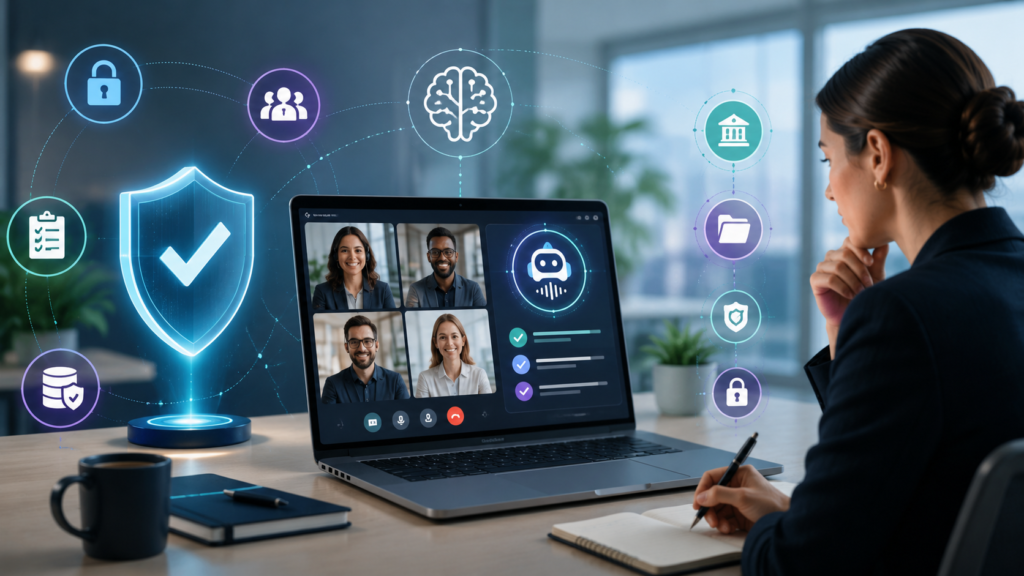
Every operational decision leaves a trail. A process update, a vendor discussion, a change in timelines, it usually starts in a meeting and then moves straight into execution. The problem is not the conversation, but what comes after. Notes are often incomplete, context fades, and ownership does not always carry through the way it should. Teams revisit decisions they thought were settled. Handoffs slow down because details are unclear. Follow-ups depend on scattered notes across inboxes and calendars. What should be one clear record ends up spread across different places. That is why the choice of an AI meeting assistant for operations teams matters. It helps turn discussions into clear actions and keeps work moving without extra coordination. Here is how to evaluate one without missing what matters. Why Operations Teams Struggle to Track Meeting Decisions Operations teams spend their day moving from one thing to the next. Meetings are where timelines get set, issues get sorted, and next steps are agreed. But once the call ends, not everything is as clear as it felt in the moment. This is where things usually start to slip: No time: One meeting rolls into the next. People think they will update notes later, but by then the details are already a bit fuzzy. Missing context: Most notes capture what was decided. They rarely capture why. That context is what people look for later when something needs to be revisited. Scattered decisions: A decision might be discussed in a team sync, then again in a review call. Without one place to track it, people end up joining the dots themselves. Unclear ownership: In the moment, it feels obvious who will do what. Later, it is not always written down, and things slow down because of that gap. Memory gaps: The team goes back through chats or notes to piece together what was discussed a few days ago. It works, but it takes time and is not always exact. For most operations teams, the problem is not the meeting itself. It is what gets lost once the meeting is over. What to Look for in an AI Meeting Assistant for Operations Teams Operations teams usually don’t struggle with capturing meetings. The real challenge starts when they try to actually use those notes for decisions, audits, or follow-ups. So the question isn’t “did we record the meeting?” It’s “can we rely on this later?” Here’s what tends to matter in practice: Compliance and data security: Operations conversations are sensitive, so teams care about who can access what, where the data sits, and whether it meets internal and regulatory standards. Notes that actually make sense later: A transcript is rarely useful on its own. What teams need is a clear view of what changed, what was approved, and what needs attention next. Something that works during audits too: When someone asks “why was this decided?”, the answer shouldn’t require digging through multiple meetings or Slack threads. A connected view across meetings: Most decisions don’t happen in one discussion. Teams want to see the thread, not isolated snapshots. Follow-ups that don’t get lost: If ownership isn’t clear, tasks slip. And then the meeting becomes just another conversation instead of progress. How Operations Teams Use AI Meeting Assistants Operations teams keep things moving across people, timelines, and priorities. The challenge is not just capturing discussions, but being able to revisit them and act with clarity. Here’s where an AI meeting assistant helps: Planning reviews and operational changes: Plans change often, with timelines changing and priorities getting updated. A clear record helps teams understand what changed, who agreed, and what needs to happen next. Leadership updates and reporting: Preparing updates for leadership usually involves pulling inputs from multiple meetings. When notes are scattered, this slows the process. Structured records make it easier to extract key decisions and present them clearly. Vendor coordination and delivery tracking: Vendors commit to timelines and deliverables across different calls. Missing details can lead to delays or confusion later. A clear summary helps teams stay aligned with what was agreed. Cross-functional alignment: Operations teams work across departments, each with its own context. Information can get lost as it moves between teams. A shared record keeps everyone aligned and reduces repeated discussions. Internal reviews and accountability checks: Teams often need to revisit decisions and track what followed. This becomes difficult with scattered notes. Consistent documentation makes reviews simpler and more reliable. Common Problems with AI Meeting Tools in Operations Most tools capture meetings well. The real friction shows up later, when operations teams try to use those notes to manage work, track decisions, or coordinate across teams. Where things usually break down: Operational context gets diluted: Operations discussions involve dependencies, constraints, timelines, and trade-offs. When notes are reduced to short summaries, the reasoning behind decisions becomes difficult to follow later. Decisions are not easy to isolate: Approvals and outcomes often sit within longer blocks of text. Instead of getting a clear view of what changed, teams spend time scanning through notes. Continuity across meetings is weak: Operations work moves across daily updates, weekly reviews, and cross-functional syncs. When each meeting stands alone, teams lose track of how decisions evolved over time. Outputs do not fit operational workflows: Notes that work for quick reference do not always fit into reporting, audits, or execution tracking. Inconsistent structure makes them harder to use across systems. Manual cleanup still takes time: Even with AI tools, teams often rewrite notes, clarify action items, and organize information before sharing or acting on them. These gaps do not disrupt the meeting itself. They surface later, when someone needs to act, report, or follow through on what was discussed. How Aimey.ai Meeting Assistant Helps Operations Teams Aimey.ai AI Meeting Assistant supports project operations teams by turning meeting discussions into clear outputs that teams can act on without delay. It helps keep projects aligned, tasks visible, and decisions easy to track across stakeholders. Here’s how it fits into day-to-day project operations: Structured meeting notes:
Embrace Aimey.ai: Boost Workplace Productivity with AI
The Emergence of AI-Powered Assistants in Modern Workspaces In the ever-evolving landscape of modern work environments, the need for efficiency and productivity has never been more critical. The introduction of “AI-Powered Assistants” like Aimey.ai is revolutionizing the way we approach daily tasks. Our solution is tailored to meet the complex demands of contemporary workplaces, providing tools that streamline processes and allow for a more cohesive workflow. As we move toward a more connected and efficient future, understanding how these technological advances can benefit our work practices is essential. Understanding Aimey.ai: A Revolutionary Solution for Enhanced Productivity Aimey.ai represents a significant leap forward in AI technology, designed to cater to the needs of the modern workspace. Our platform leverages cutting-edge artificial intelligence to deliver a solution that not only simplifies task management but also enhances overall productivity. By harnessing the power of AI, we offer a dynamic and adaptable tool that seamlessly integrates into various workplace settings, accommodating the unique needs of individuals and teams alike. The Vital Role Aimey.ai Plays in Improving Task Management and Efficiency Efficient task management is at the core of any productive workplace. Aimey.ai excels in this area by offering a suite of features that streamline daily tasks and promote effective workflow management. Our platform provides real-time insights and actionable recommendations that align with the user’s specific requirements. This ensures that every task is handled promptly and efficiently, significantly reducing the time spent on mundane activities and allowing for a sharper focus on more strategic initiatives. Delving Deep into the Features: How Aimey.ai Streamlines Daily Tasks Our platform, Aimey.ai, offers cutting-edge features designed to streamline daily tasks and enhance overall productivity. With the capacity to automate repetitive, time-consuming activities, Aimey.ai allows users to focus on strategic initiatives. For instance, Aimey.ai can manage emails, schedule meetings, and even organize task lists effortlessly. Additionally, due to its machine learning capabilities, Aimey.ai continuously learns from interactions, enhancing its efficiency over time. As a result, Aimey.ai acts not only as a productivity tool but as a partner in achieving professional success. Tailored Recommendations & Intuitive Design: Aimey.ai’s Approach to Emphasize User Experience One of the key differentiators of Aimey.ai is its ability to provide tailored recommendations based on user behavior and preferences. By analyzing data patterns, Aimey.ai can suggest optimal times for meetings, prioritize tasks, and offer insights for improving workflows. This tailored approach ensures that each user’s experience is uniquely optimized for their specific needs. Furthermore, the intuitive design of our interface makes it accessible for all users, regardless of their technical proficiency. Consequently, teams can adopt Aimey.ai with minimal training and maximum benefit. A Centralized Hub: Insights into Aimey.ai’s Integration with Popular Tools for Seamless Workflow Management Aimey.ai acts as a centralized hub by integrating seamlessly with popular tools and platforms. Whether it’s project management software, communication tools, or CRM systems, Aimey.ai ensures a unified workflow experience. The centralized hub feature allows users to access multiple tools from a single interface, reducing the need to switch between various applications. Project Management Software: Integration with tools like Jira and Asana. Communication Tools: Compatibility with Slack and Microsoft Teams. CRM Systems: Seamless connection with Salesforce and HubSpot. Moreover, these integrations enable real-time updates and synchronization, ensuring that everyone on the team is on the same page. It significantly reduces the chances of miscommunication and fosters a cohesive working environment. Thus, Aimey.ai ensures enhanced collaboration across departments, making it an indispensable tool for modern workplaces. Did you know? Aimey.ai leverages advanced AI to transform task management and enhance workplace productivity, making it essential for modern workspaces. How Aimey.ai Adapts to Enhance Both Personal and Team Productivity In today’s fast-paced work environments, the need for a versatile and efficient assistant is paramount. Aimey.ai transcends traditional productivity tools by offering features tailored to meet individual and team needs. By seamlessly integrating with popular tools and providing tailored recommendations, Aimey.ai ensures that no task goes unnoticed and every deadline is met efficiently. Aimey.ai adapts dynamically to the workflows of both individuals and teams, providing actionable insights and optimizing task allocations. This adaptability makes it an invaluable tool for enhancing personal productivity while fostering a collaborative and coordinated team environment. With Aimey.ai, handling complex projects becomes more manageable, as it helps in breaking down tasks, setting priorities, and tracking progress comprehensively. The Future of Work: Advancements to Expect from AI Assistants like Aimey.ai The role of AI assistants in the workplace is only set to expand, driven by continuous advancements in artificial intelligence and machine learning. Future iterations of Aimey.ai will likely incorporate even more sophisticated algorithms, allowing for deeper personalization and predictive capabilities. Features such as real-time collaboration suggestions, advanced analytics, and intelligent automation will redefine workplace productivity. As teams become increasingly distributed, Aimey.ai will provide innovative solutions to bridge communication gaps and enhance remote work. The future promises greater interactivity, with AI assistants like Aimey.ai serving as the linchpin that connects various digital platforms, ensuring a seamless and integrated working experience. Embrace the Efficiency: Why Aimey.ai is Indispensable in Modern Work Environments Efficiency and productivity are more critical than ever, and Aimey.ai stands at the forefront of this transformation. By offering an intuitive design and tailored recommendations, Aimey.ai empowers users to focus on high-impact tasks, thus driving significant improvements in overall performance. Aimey’s approach to emphasize user experience ensures that the tool evolves with the user’s needs, offering personalized suggestions that enhance daily workflows allows it to seamlessly integrate with existing tools, creating a centralized hub for all work-related activities. In a world where every second counts, Aimey.ai proves to be an indispensable ally. Its ability to streamline daily tasks, combined with its forward-looking features, makes it a critical component of any modern work environment. By embracing Aimey.ai, organizations are not just adopting a tool; they are investing in a future of unparalleled efficiency and productivity. FAQ What differentiates Aimey.ai from other AI-powered productivity tools? Our Aimey.ai stands out by offering a deeply personalized experience that dynamically adapts to both individual and