
How to Manage an AI Co-worker Like a Team Member (Not a Tool)
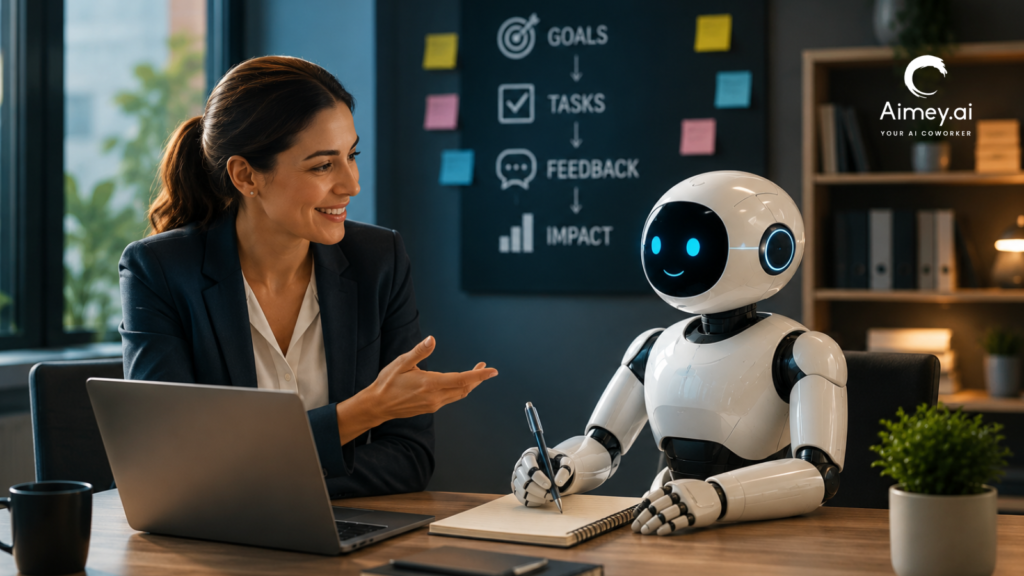
Every new recruit needs ownership, context, and accountability. An AI Co-worker is no different. A joint study conducted by BCG and MIT Sloan Management Review indicated that 76% of executives now perceive Agentic AI more as a coworker than as a tool. In the meanwhile, 35% of firms have begun using Agentic AI, and 44% more expect to do so soon. The conversation has evolved beyond adoption. What leaders need now is an operating model for managing systems that can plan, execute, and coordinate operations across the firm. AI Co-worker doesn’t replace leadership. It still needs ownership, commercial context, governance, and demonstrable outcomes. Those fundamentals will be more valuable when built by companies than by those who regard it as simply another application in the tech stack. This guide outlines how executives may manage an AI Co-worker as part of the operating model and not just another software deployment. What Is an AI Co-worker? An AI Co-worker is an Agentic AI system that understands context, performs multi-step workflows, interacts with business systems, and completes work with little human supervision. AI assistants respond to specific commands. An AI Co-worker carries tasks from start to end, while keeping the greater corporate purpose in view. Think of the difference this way: AI Assistant AI Co-worker Answers questions Completes workflows Waits for prompts Acts on assigned responsibilities Works inside one task Coordinates across meetings, emails, CRMs, and business tools Produces information Produces business outcomes For example, after a customer meeting, AI employees can summarize the discussion. An AI Co-worker can summarize the meeting, update Salesforce, assign follow-up tasks, draft the customer email, notify the account team, and prepare the next meeting briefing. It manages the work around the conversation instead of stopping at the summary. Why an AI Co-worker Needs to Be Managed Like a Team Member Organizations often use AI as a second application. Employees get access, mess around with a few prompts, then return to business as usual. That method seldom yields long-term benefits because an AI teammate doesn’t behave like traditional software. AI Co-worker needs defined tasks, access to the correct business context, and explicit success measures. You wouldn’t tell a new hire to “help with sales”, nor should you tell an AI Co-worker to “handle customer meetings.” You give ownership, set expectations, and measure performance. This is even more important as companies move to Agentic AI. Agentic AI is different from typical automation in that it can perform a series of activities, interact with business systems, and make decisions on workflows within pre-defined boundaries. It produces inconsistency without governance. Ownership and accountability are evident. For leadership teams, the question isn’t Can AI perform the work? The question is: Which work should it own? Where an AI Co-worker Creates the Biggest Business Impact An AI Co-worker generates the strongest return in functions where work crosses teams, systems, and repetitive workflows. The goal is not to automate individual tasks. It is about taking away the operational overhead that slows down execution. 1. Revenue Ops Keep CRM data clean, watch pipeline health, prep account briefings, draft follow-ups, flag deals needing help. Example: The AI Co-worker identifies opportunities with no customer touch in the last 14 days preceding the Monday pipeline review, summarizes past meetings, flags renewal risks, writes re-engagement emails and builds a deal evaluation for sales leadership. 2. Customer Success Log customer meetings, track commitments, track onboarding milestones, identify renewal risks, and build complete account history. Example: Strategic customer flags a product issue in a QBR. The AI Co-worker records every commitment, generates follow-up tasks across Product and Support, monitors the completion and warns the Customer Success Manager if any promise is still open before the renewal conversation. 3. Managing Projects Keep track of project status, action items, dependencies, and stakeholder reports without collecting information from different sources before every review. Example: Before the PMO’s weekly meeting, the AI colleague evaluates the conversation around projects, detects any milestones at risk, diagrams dependencies between projects and summarizes the portfolio, surfacing just those projects that need leadership involvement. 4. Executive Operations Consolidate information from meetings, projects, client accounts, and operational dashboards into one report that prepares leadership briefings and enables faster decision-making. Examples: The AI Co-worker prepares a one-page briefing for the executive committee meeting with the delivery risks, the customer escalations, the hiring dependencies, revenue changes, and unresolved choices, rather than department heads preparing separate updates. 5. IT & Service Operations Supports document calls, ticket updates, SLA obligations, incident summaries, and escalations across the service management systems without administrative intervention. Example: For a Priority 1 event, the AI co-worker automatically develops a live incident timeline, tracks engineering updates, monitors SLA commitments, drafts stakeholder messages, and creates a post-incident report when service is restored. 6. Internal Knowledge Management Turn meetings, project reviews, customer conversations, and operational choices into searchable corporate information. Teams spend less time hunting for information and more time acting on it. Example: Six months after a large implementation, a new delivery manager can quickly review every design choice, customer approval, project risk, and executive discussion, instead of interviewing many team members. Build Workflows Around Your AI Co-worker An AI Co-worker is better at defined protocols, not individual requests. Rather than doing a single action at a time, create a process with a set trigger, a desired result, and an approved path. 1. Business Context Give access to meeting history, customer data, project material, corporate knowledge, and communication channels. The stronger the context, the better the decisions and the less manual correction. 2. Repeatable Process Standardized Recurring processes such as client onboarding, weekly project reviews, pipeline updates, and executive reporting generate the most predictable results because each step is part of a well-defined process. 3. Link the Correct Systems The more your AI teammate can manage the information flowing across CRM platforms, email, calendars, project management tools, and workplace collaboration platforms, the better. It can operate in a comprehensive business context, not just on isolated facts. 4. Definition of Expected Results